EVERY DEAL, EVERY STAGE ON ONE VISUAL BOARD
Pipelines and Opportunities work together to form a visual Kanban-style board for tracking sales processes, deal stages, and customer journeys. Drag deals from first contact to closed won, trigger automations at every stage, and watch your revenue roll up to the dashboard in real time.
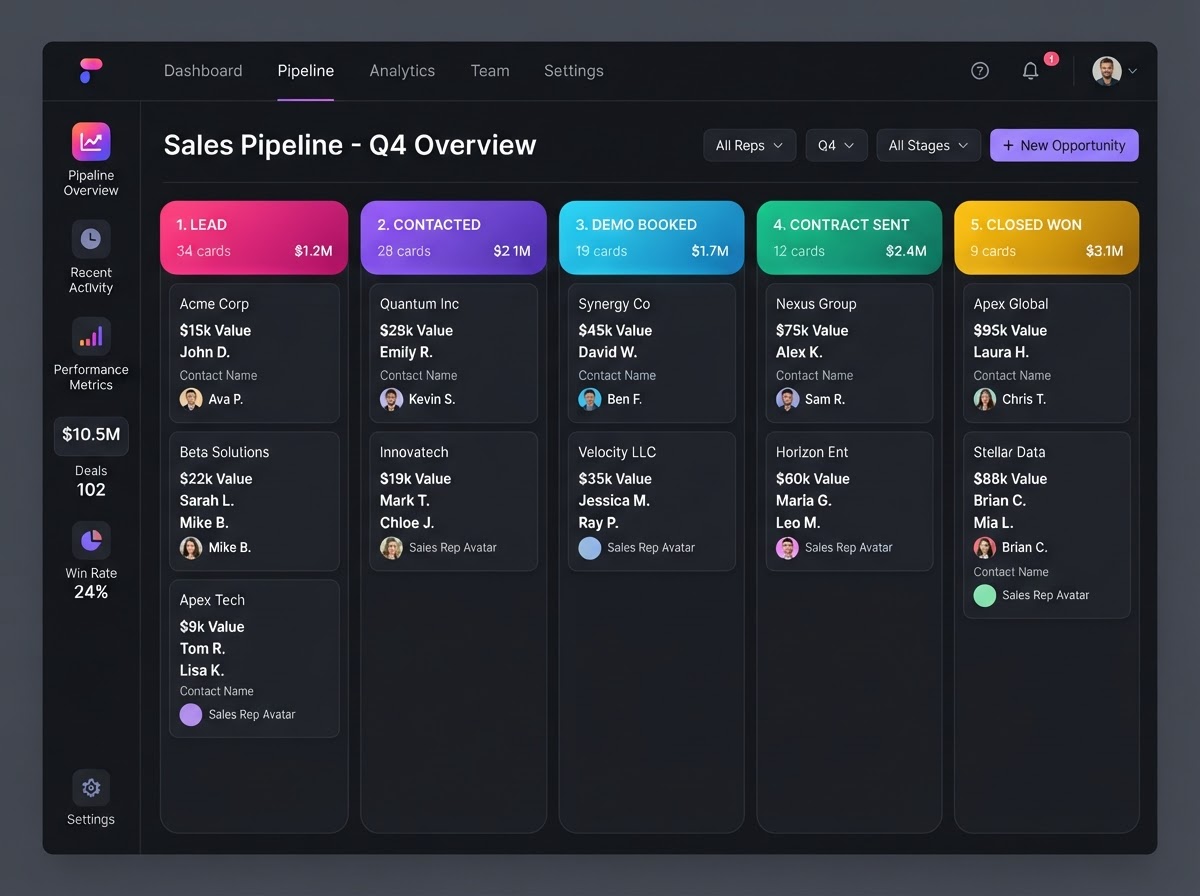
Your Visual Sales Command Center
BUILD ANYTHING WITH WESTCOAST AI
Web apps, mobile apps, websites, AI agents, dashboards, and more — all from a single all-in-one platform.
EVERY DEAL ON A VISUAL BOARD
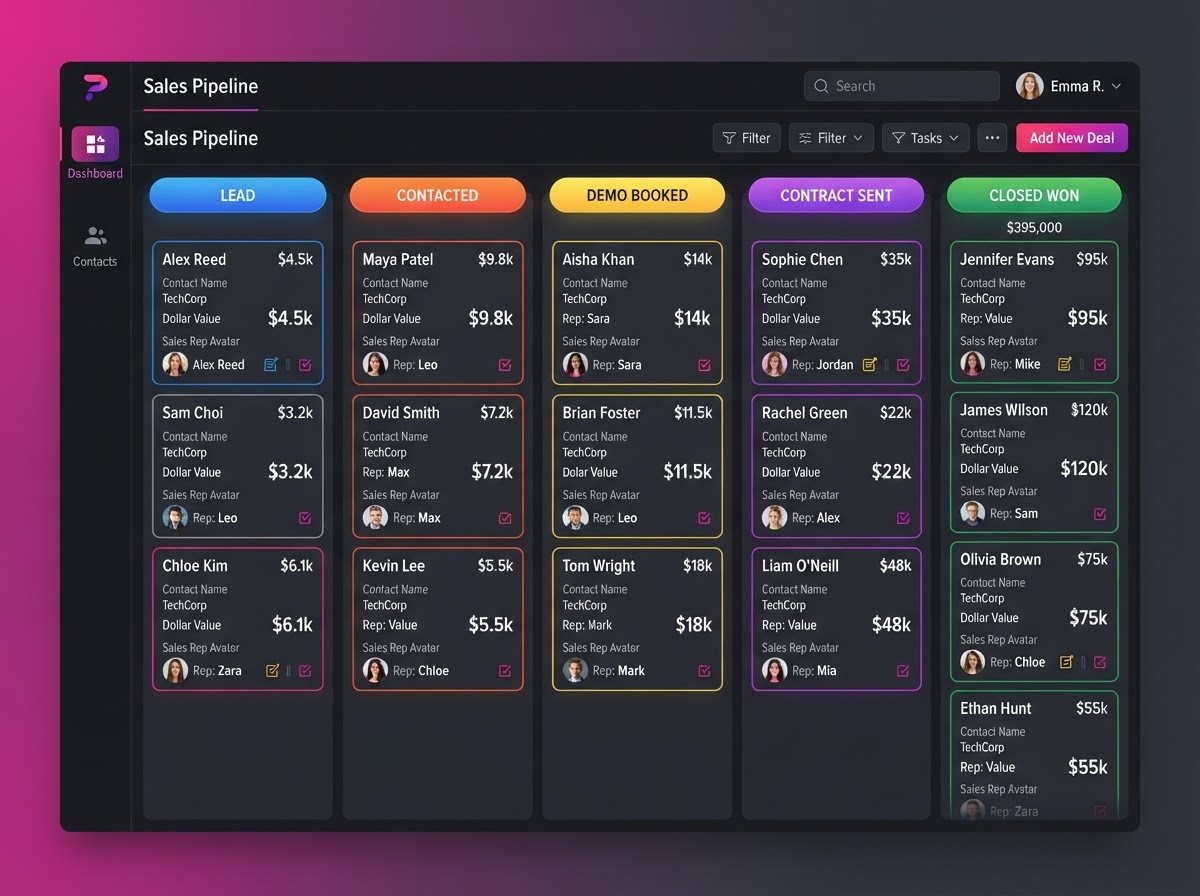
Build infinite pipelines for every business process, track real deal data on every opportunity card, link deals to contact records, and drag deals across stages — all on one visual Kanban board.
 Pipelines
Infinite Custom Pipelines
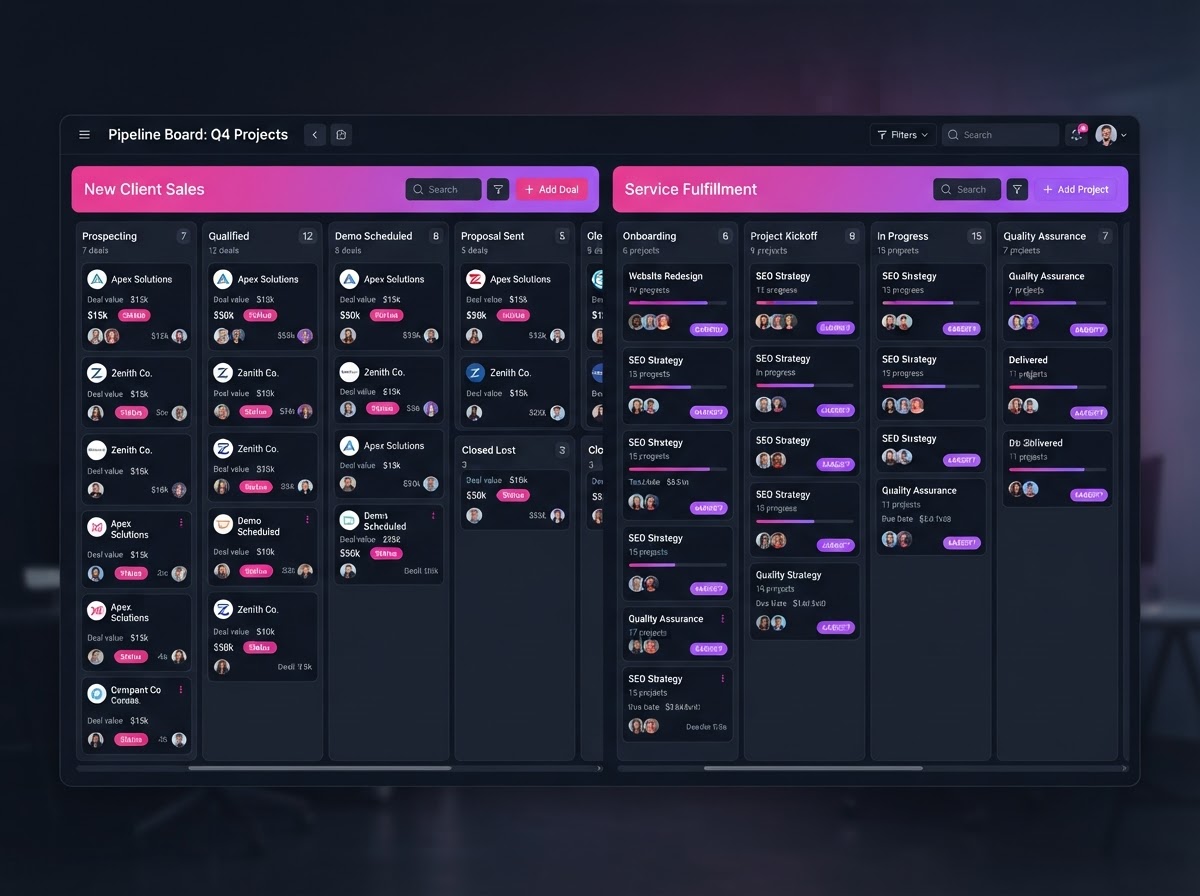
Build unlimited pipelines for different functions. Run a New Client Sales pipeline (Lead → Contacted → Demo Booked → Contract Sent) alongside a separate Service Fulfillment pipeline (Onboarding → Work in Progress → Review → Delivered) — each with its own stages.
 Deals
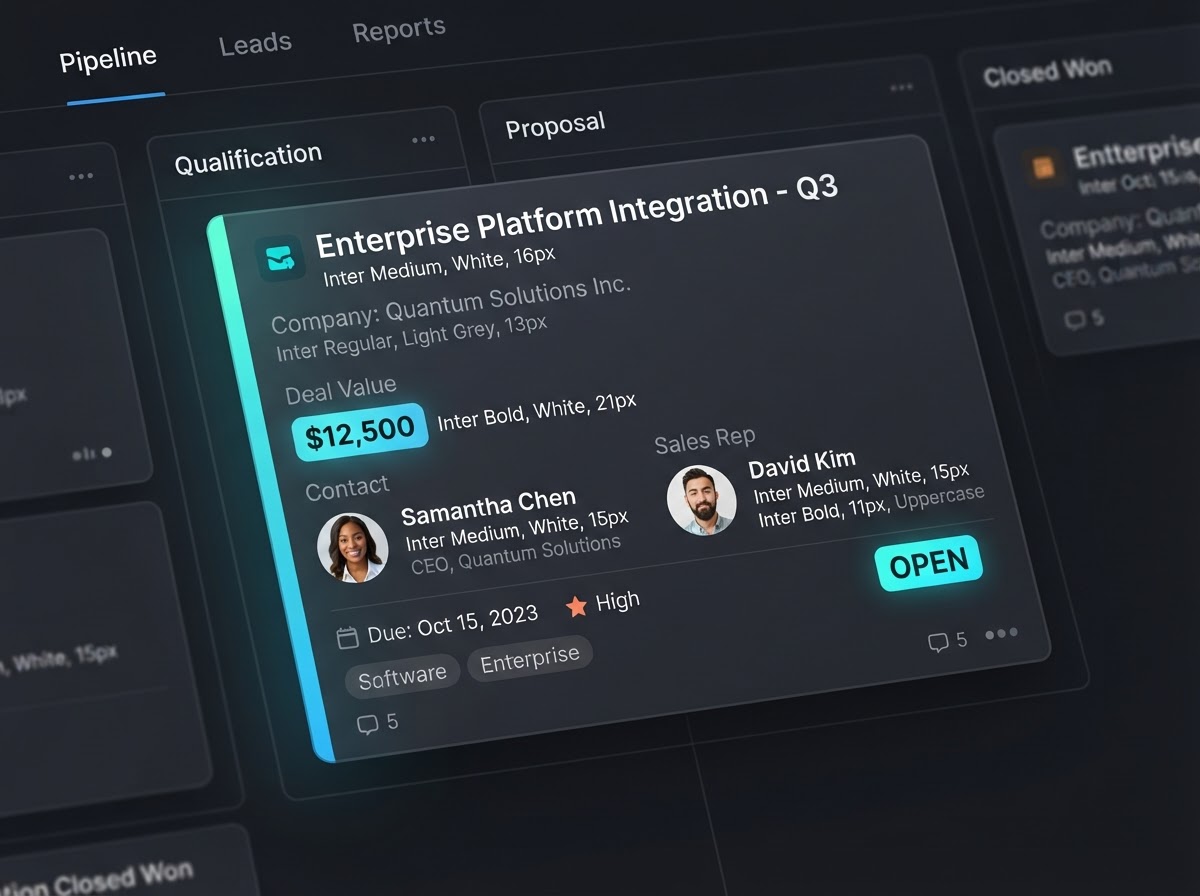
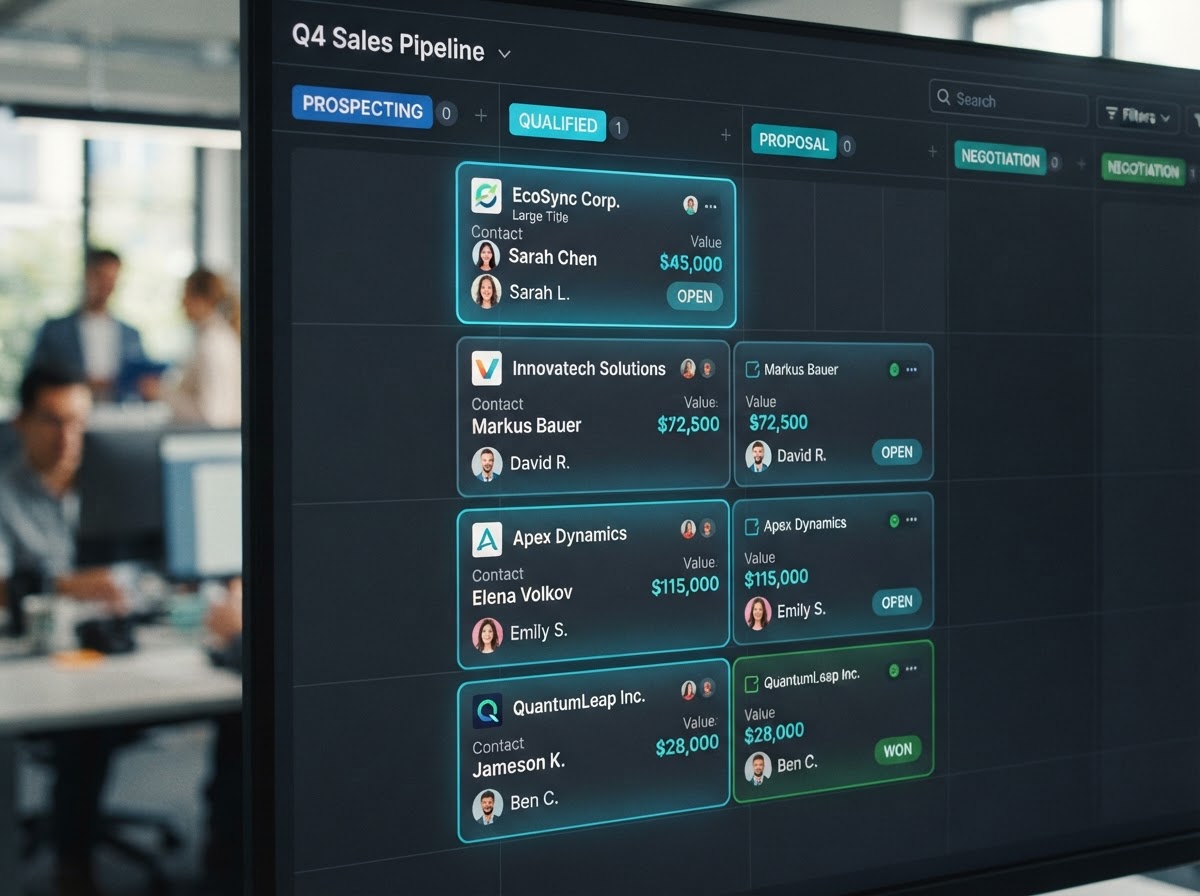
Opportunity Cards With Deal Data
Every Opportunity is a visual card on the board that stores crucial sales metrics — the monetary Lead Value, the assigned sales rep, and the deal's Status (Open, Won, Lost, or Abandoned) — so your team sees the full picture at a glance.
 CRM
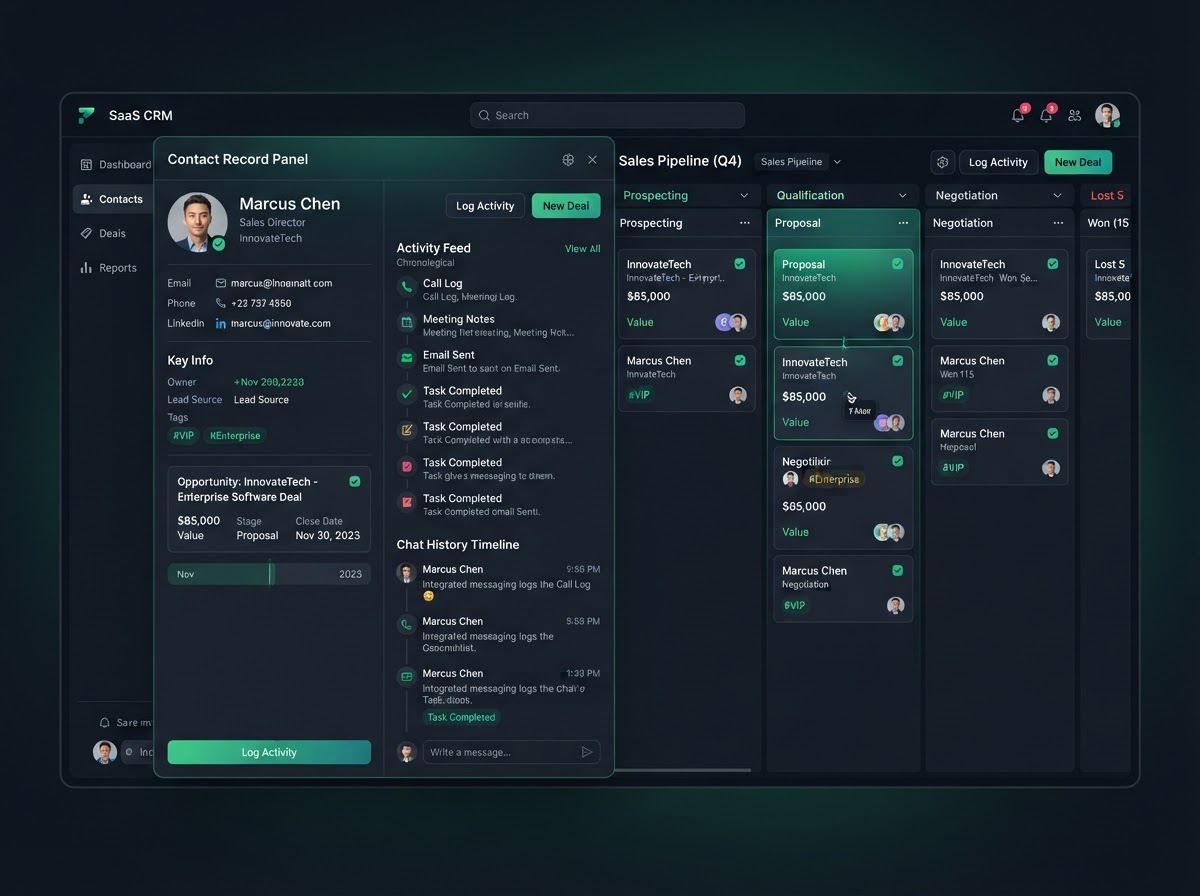
Tied Directly To Contact Records
Every Opportunity is linked to a specific Contact Record in the CRM. Click an Opportunity card to instantly pull up that contact's chat history, activity feed, and details — so the full context of every deal is one click away.
 Visual
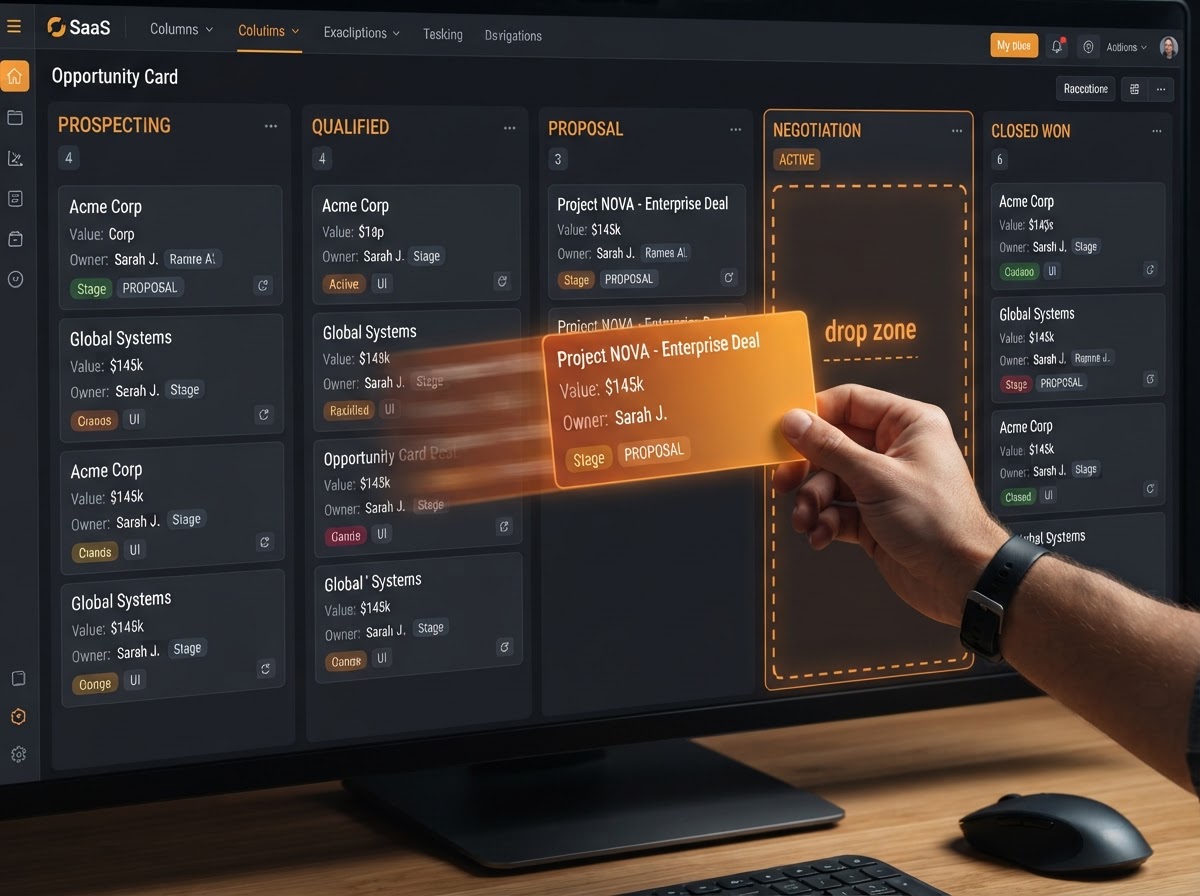
 Drag & Drop Management
Manually drag and drop Opportunity cards from left to right across Pipeline stages as a deal progresses. The entire board updates in real time, giving your team a clear, visual snapshot of where every deal stands at any moment.
FROM FIRST CONTACT TO CLOSED WON
Pipelines are the map, Opportunities are the playing pieces, and two-way automation keeps everything moving — so your deals progress from first contact to closed won with live revenue tracking at every stage.
Pipelines — The Map
Customizable Roadmaps For Every Business Process
A Pipeline represents the overarching roadmap of a specific business process, divided into customizable columns called Stages that reflect the chronological steps a lead takes from first contact to a final resolution. Build infinite pipelines for every function your business runs.
- Build infinite pipelines for different functions and teams
- Customizable Stages reflect chronological steps from lead to resolution
- New Client Sales: Lead → Contacted → Demo Booked → Contract Sent
- Service Fulfillment: Onboarding → Work in Progress → Review → Delivered
- Each pipeline is a complete visual map of a unique business process
Opportunities — The Playing Pieces
Deal Cards That Carry Real Sales Data
An Opportunity is the actual deal, lead, or project that moves across the Pipeline stages — visually represented as a card on the board. Each card is tied to a Contact Record and stores the monetary Lead Value, assigned sales rep, and deal Status.
- Every Opportunity is linked to a specific Contact Record in the CRM
- Click a card to pull up that contact's chat history and details
- Cards store monetary Lead Value and the assigned sales rep
- Deal Status tracked as Open, Won, Lost, or Abandoned
- Visual cards make the entire sales process instantly scannable
Two-Way Workflow Automation
Pipelines & Workflows Work Hand In Hand
Pipelines are deeply integrated with the platform's Workflows. Moving an Opportunity to a specific stage can trigger a workflow — dragging a card into Closed Won fires off an onboarding email sequence. Conversely, a workflow can automatically move a card when a lead books an appointment.
- Dragging a card to a stage triggers automated workflows instantly
- Closed Won column fires off onboarding email sequences automatically
- A booked appointment moves the card to Meeting Booked for you
- Workflows update pipeline stage without human intervention
- Two-way automation keeps the board and your automations perfectly in sync
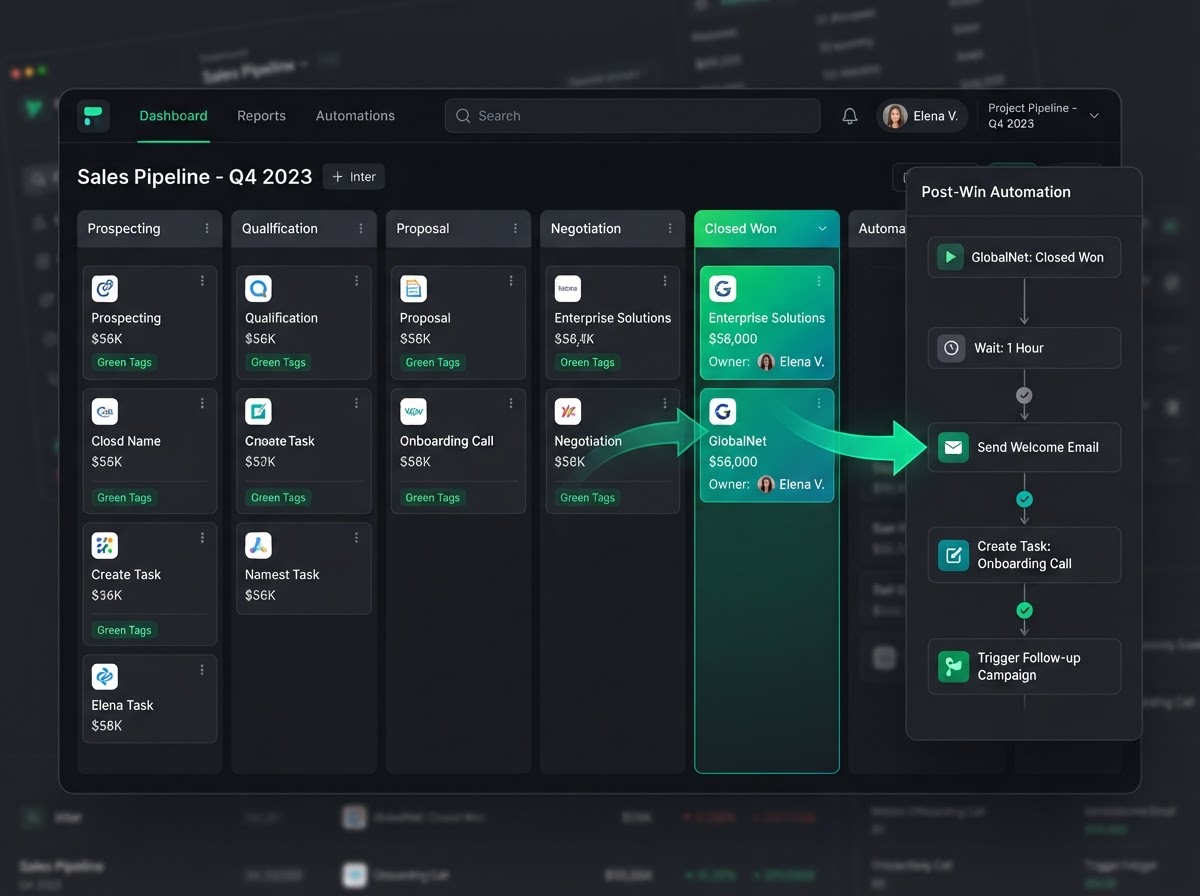
PIPELINES IN EVERY INDUSTRY
Real-world scenarios where visual Kanban boards, two-way automation, and live revenue tracking keep every business closing deals — from agencies to real estate to home services.
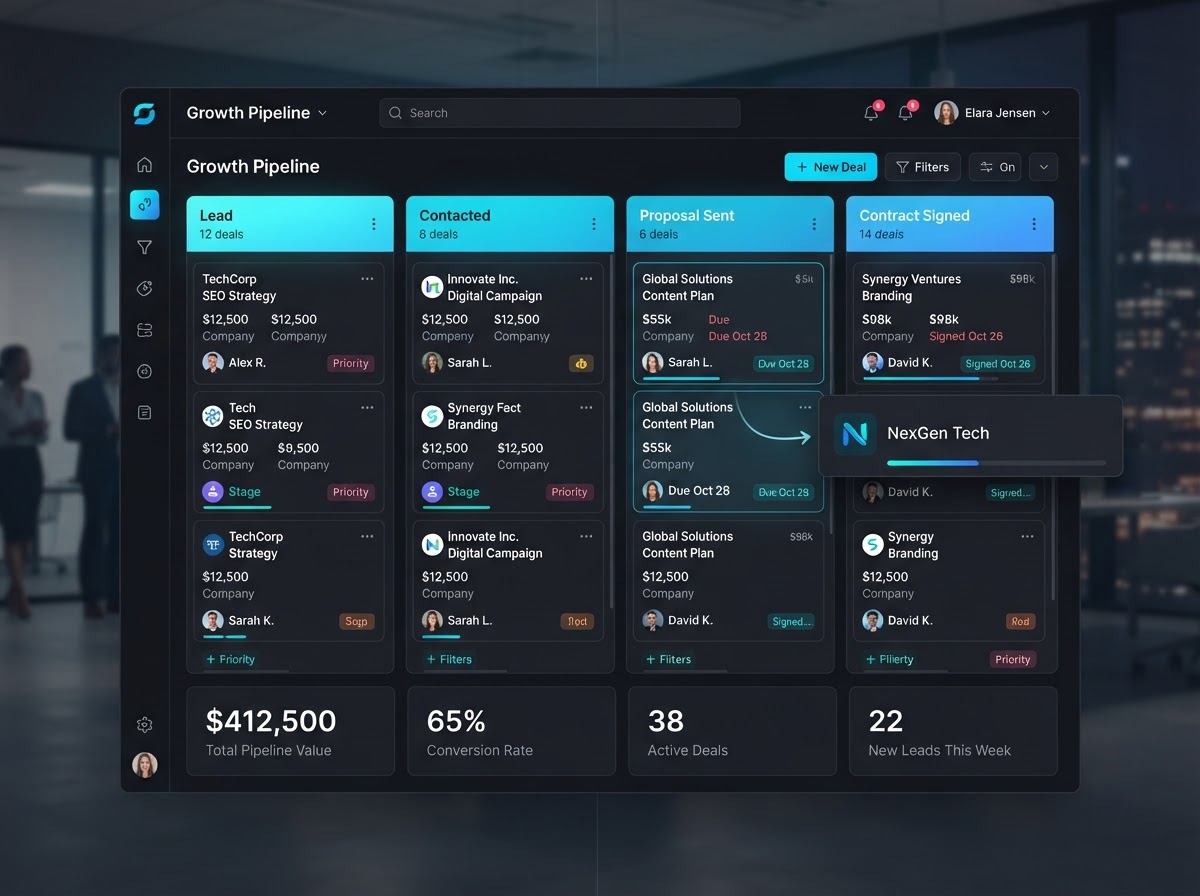
New Client Sales Tracked End To End
An agency runs a New Client Sales pipeline with stages Lead → Contacted → Proposal Sent → Contract Signed. When a prospect books a discovery call, the workflow auto-moves their card to Demo Booked — and when the contract is signed, the Closed Won column fires off the onboarding email sequence automatically.
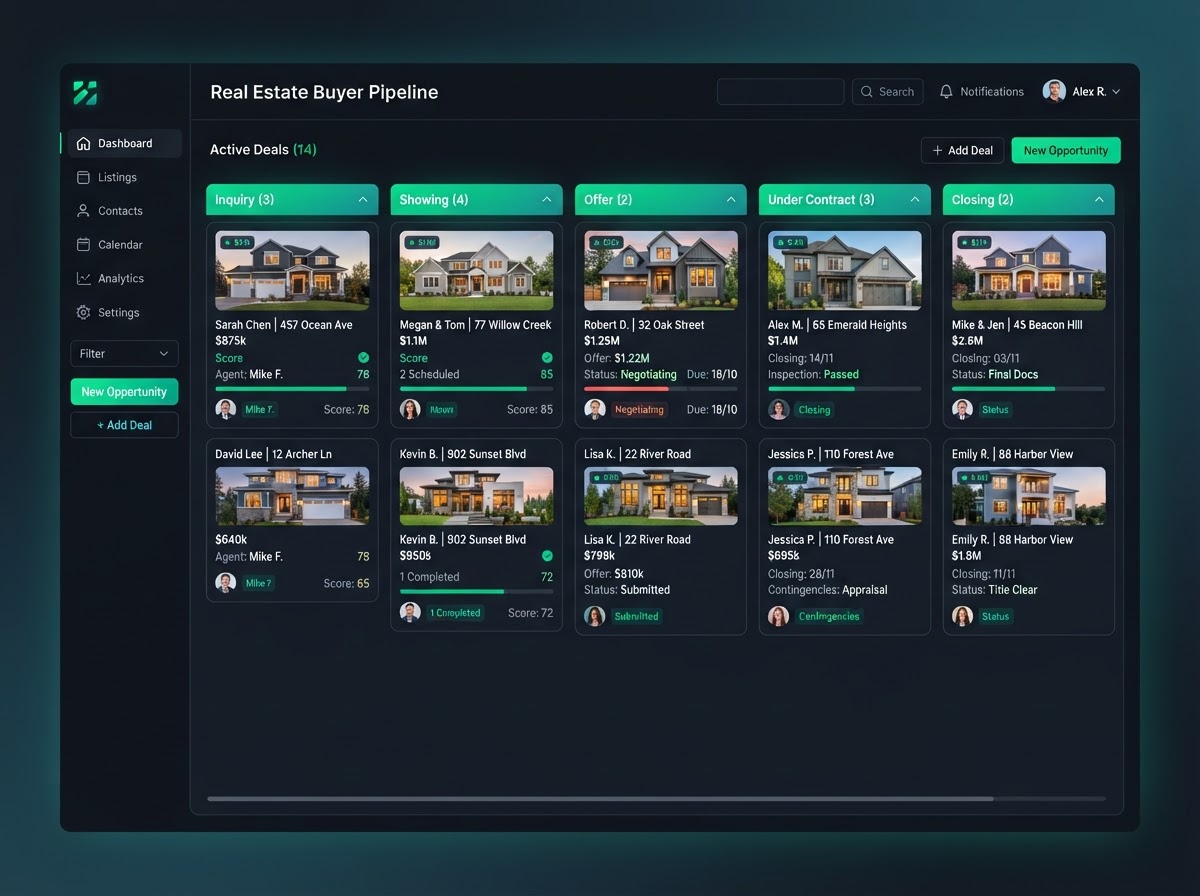
Buyer Journeys From Inquiry To Closing
A real estate brokerage tracks every buyer from first inquiry to closing day. Each Opportunity card shows the lead value of the property, the assigned agent, and the deal status. Dragging a card to Under Contract triggers the title company workflow — no manual handoff needed.
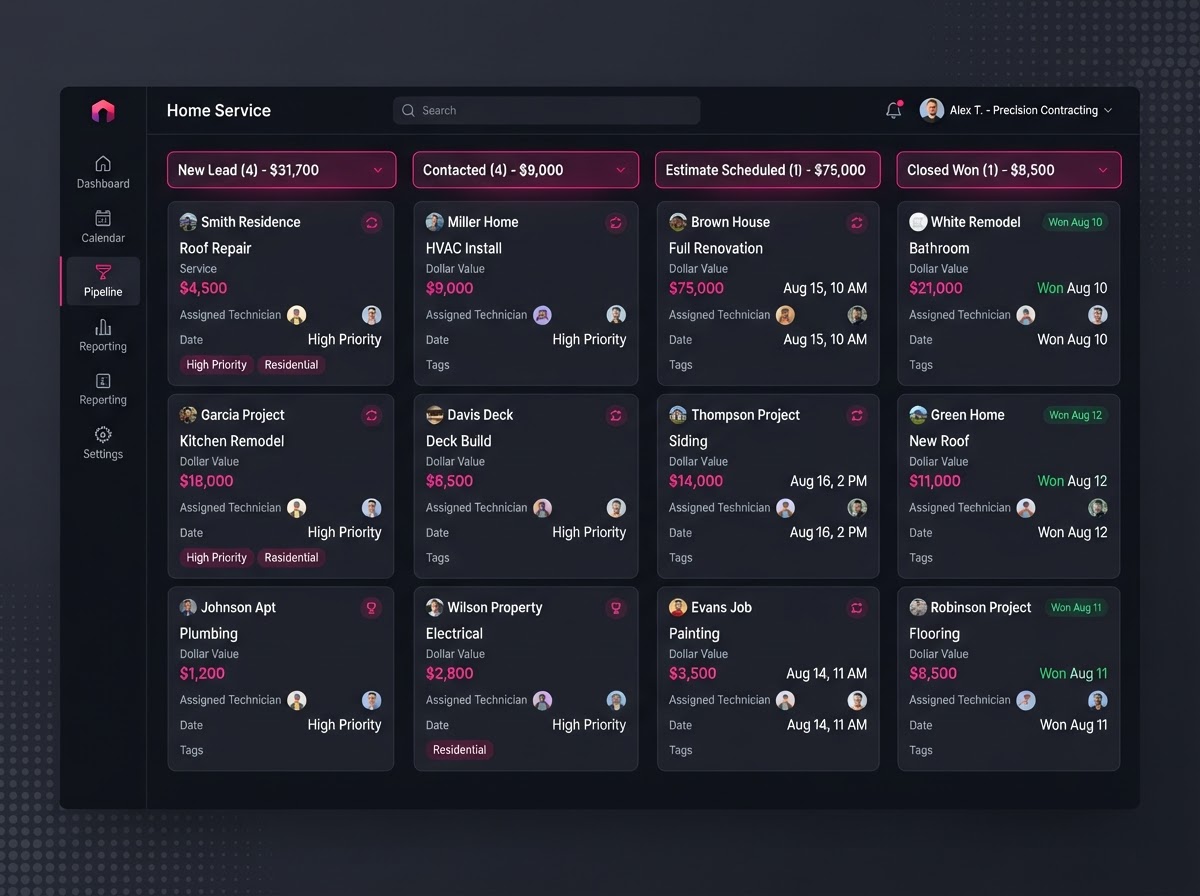
Estimates Move Themselves Through The Funnel
A contractor's website form auto-creates an Opportunity on the New Lead stage. When the homeowner replies to the follow-up text, the workflow moves their card to Contacted and assigns a rep. The team drags it to Estimate Scheduled, then to Closed Won — and the revenue rolls up to the dashboard instantly.
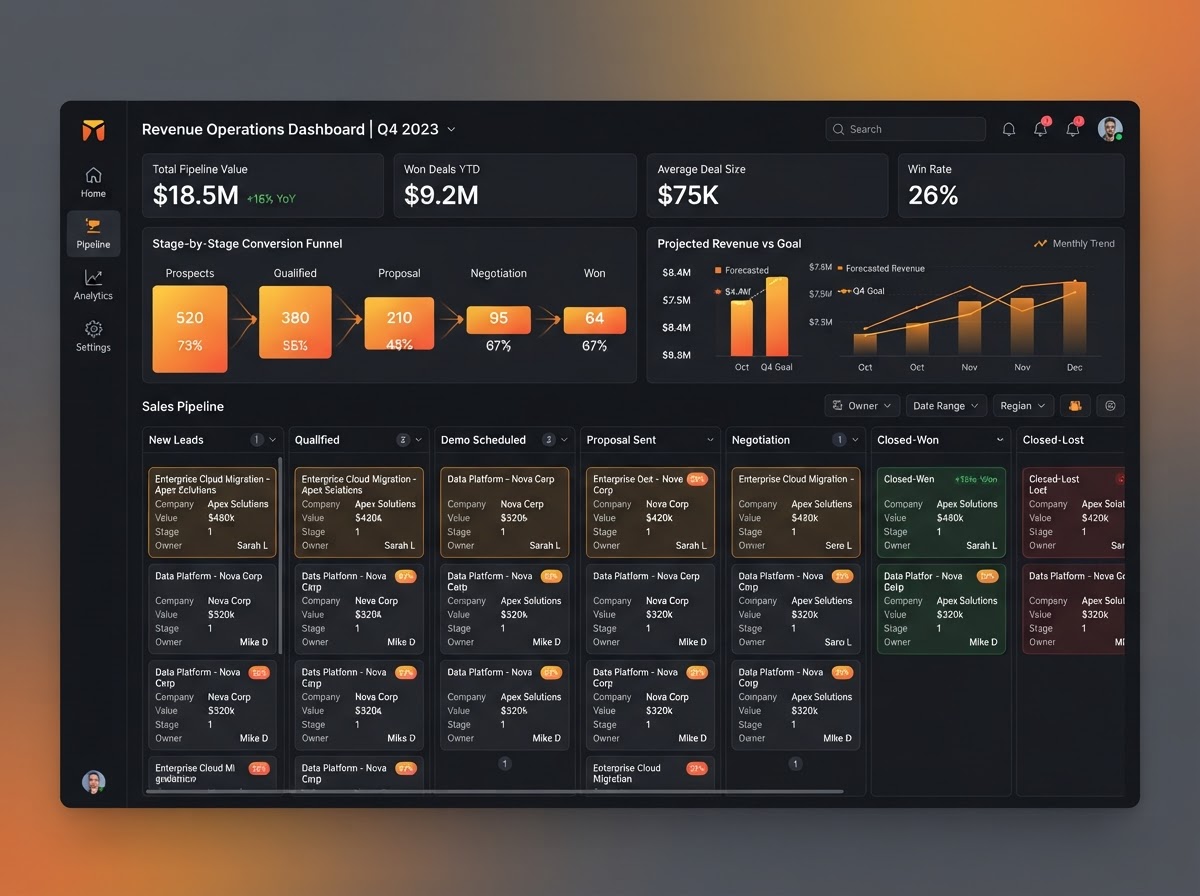
Revenue Tracking Across Every Deal Stage
A SaaS company watches the combined monetary value of every Opportunity sitting in their pipeline populate the dashboard in real time. They see total pipeline value, stage-by-stage conversion rates, and projected revenue — so forecasting is always grounded in live data, not guesses.
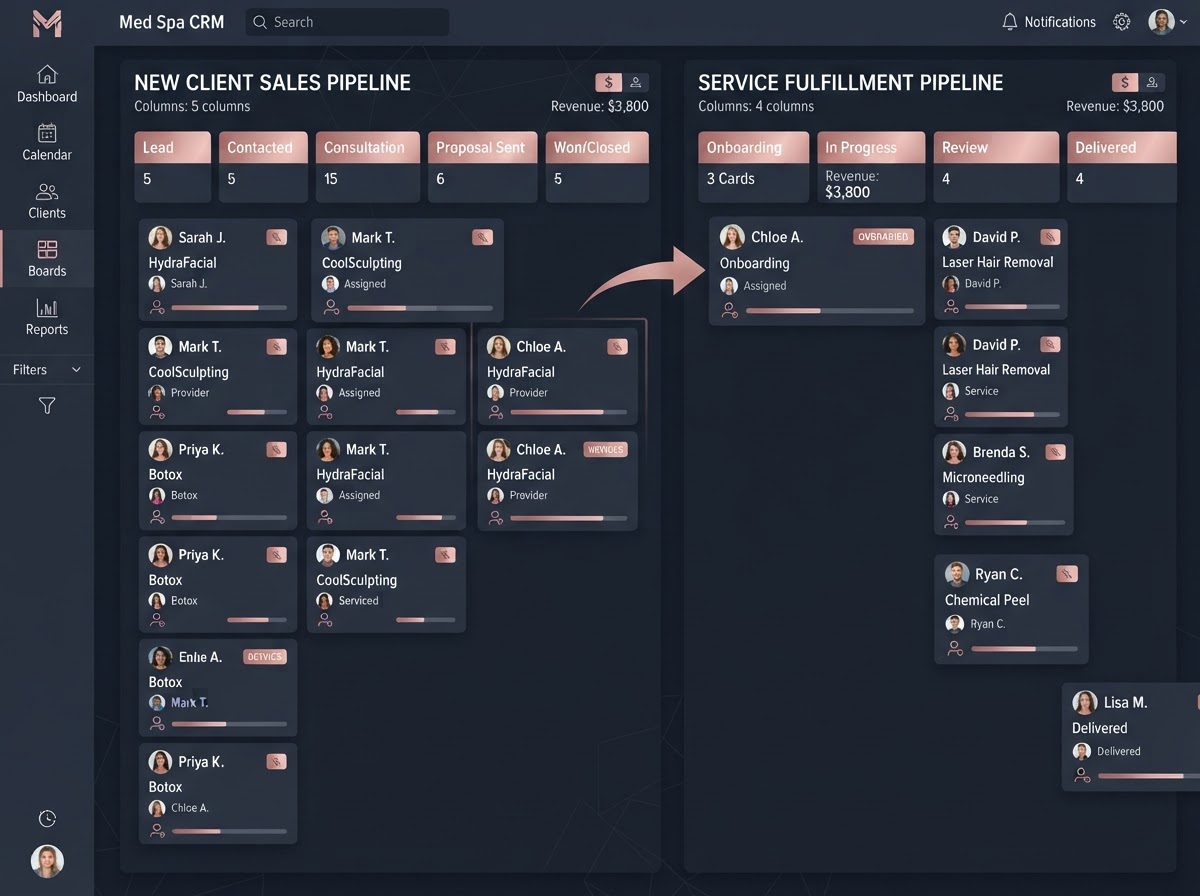
Service Fulfillment On A Separate Board
A med spa runs a New Client Sales pipeline for bookings and a separate Service Fulfillment pipeline for active treatments (Onboarding → In Progress → Review → Delivered). When a deal is won on the sales board, the client's card appears on the fulfillment board automatically — two boards, one seamless flow.
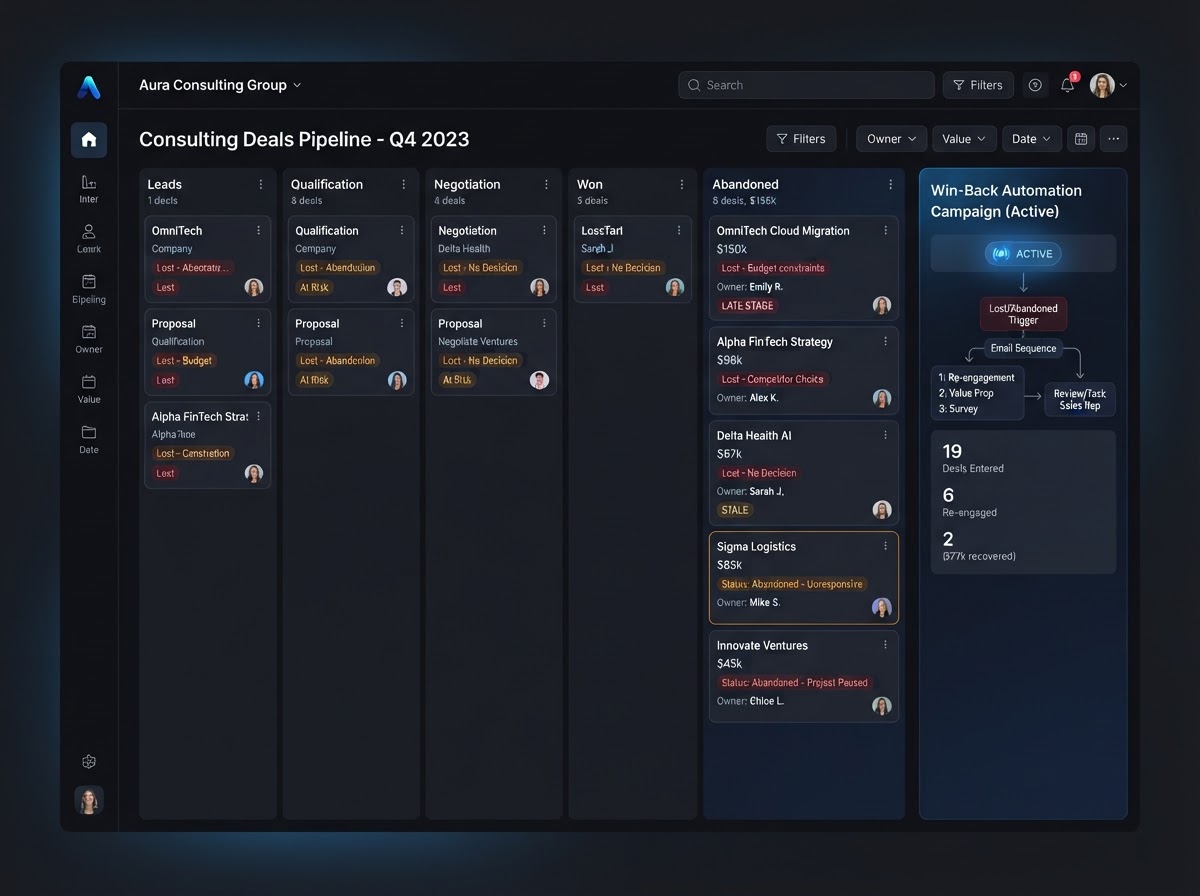
Lost Deals Tracked For Win-Back Campaigns
A consulting firm marks stalled deals as Lost or Abandoned instead of deleting them. Those cards stay on the board with full history, letting the team build a Smart List of lost opportunities and launch an automated win-back campaign months later — turning dead deals into future revenue.
Replace all your sales tools with one platform
Stop paying for separate pipeline trackers, Kanban boards, and sales CRM tools. Westcoast Opportunities & Pipelines consolidates your entire sales stack — native inside your CRM.
Pick the software you're paying for today. We'll estimate your current monthly cost and show how Westcoast AI replaces it all — CRM, AI, and automation — with a plan sized for your team.
Select your current tools
0 selected · 302 platformsWestcoast AI
1 unified platform
CRM + AI + Automations included
Your Stack (est.)
$0/mo
0 tools
Est. Savings
$0/mo
$0/yr
Select the platforms you use today to see a feature-by-feature comparison with Westcoast AI.
MONTHLY PLANS
PRICING THAT FITS YOUR NEEDS AND BUDGET WITH ALL THE AUTOMATED AI INCLUDED
STARTER
- Basic
- 7-day free trial
- No setup fees
- 1 user
- AI & Automation
- AI Studio Web Builder
- Funnel Builder
- AI Voice Agent
- Text Message Conversation AI
- Creator Studio
- Mobile App Builder
- Basic AI Agents
- CRM
- Unlimited Contacts
- Opportunities & Pipeline Tracking
- Tasks
- Booking Calendars
- Marketing
- Social Media Planner & Automation
- Mass Email Campaigns
- Review & Reputation Management
- Social Media Ad Manager
- Affiliate Marketing Manager
GROWTH
- Basic
- 7-day free trial
- 20% off any advanced monthly AI services or lead generation
- No setup fees
- 3 users
- Snapshot Image For Your Industry Enabled
- AI & Automation
- AI Studio Web Builder
- Funnel Builder
- AI Voice Agent
- Text Message Conversation AI
- Creator Studio
- Mobile App Builder
- Auto Snapshot For Any Industry
- CRM
- Unlimited Contacts
- Opportunities & Pipeline Tracking
- Tasks
- Booking Calendars
- Unified Inbox (Email, SMS, Socials)
- Marketing
- Social Media Planner & Automation
- Mass Email Campaigns
- Review & Reputation Management
- Social Media Ad Manager
- Affiliate Marketing Manager
PREMIUM
- Basic
- 7-day free trial
- 30% off any advanced monthly AI services or lead generation
- No setup fees
- 10 users
- White-glove done-for-you custom setup
- API & Webhook Access
- AI & Automation
- AI Studio Web Builder
- Funnel Builder
- AI Voice Agent
- Text Message Conversation AI
- Creator Studio
- Mobile App Builder
- Auto Snapshot For Any Industry
- White-glove AI bot setup for voice and conversation done for you
- CRM
- Unlimited Contacts
- Opportunities & Pipeline Tracking
- Tasks
- Booking Calendars
- Unified Inbox (Email, SMS, Socials)
- Marketing
- Social Media Planner & Automation
- Mass Email Campaigns
- Review & Reputation Management
- Social Media Ad Manager
- Affiliate Marketing Manager
ENTERPRISE
- Basic
- No setup fees
- 40% off AI Leads and services
- 11 or more users
- White-glove done-for-you custom setup
- API & Webhook Access
- All Enterprise and custom solutions
- AI & Automation
- AI Studio Web Builder
- Funnel Builder
- AI Voice Agent
- Text Message Conversation AI
- Creator Studio
- Mobile App Builder
- Auto Snapshot For Any Industry
- White-glove AI bot setup for voice and conversation done for you
- CRM
- Unlimited Contacts
- Opportunities & Pipeline Tracking
- Tasks
- Booking Calendars
- Unified Inbox (Email, SMS, Socials)
- Marketing
- Social Media Planner & Automation
- Mass Email Campaigns
- Review & Reputation Management
- Social Media Ad Manager
- Affiliate Marketing Manager
PIPELINES QUESTIONS
A Pipeline represents the overarching roadmap of a specific business process. It is divided into customizable columns called Stages, which reflect the chronological steps a lead takes from first contact to a final resolution. You can build infinite pipelines for different functions.
An Opportunity is the actual deal, lead, or project that moves across the Pipeline stages. It is visually represented as a card on the board, and it stores crucial sales metrics including the monetary Lead Value, the assigned sales rep, and the deal's Status (Open, Won, Lost, or Abandoned).
Every Opportunity is linked to a specific Contact Record in the CRM. You can click an Opportunity card to instantly pull up that contact's chat history, activity feed, and details — so the full context of every deal is always one click away.
Yes — users can manually drag and drop Opportunity cards from left to right across the Pipeline stages as a deal progresses. The entire board updates in real time, giving your team a clear visual snapshot of where every deal stands.
Pipelines are deeply integrated with the platform's Workflows in two directions. Moving an Opportunity to a specific stage can trigger a workflow — for example, dragging a card into Closed Won fires off an onboarding email sequence. Conversely, a workflow can automatically move a card, like when a lead books an appointment and the system moves their card to Meeting Booked without human intervention.
The combined monetary value of all Opportunities currently sitting in a Pipeline automatically populates the primary dashboard. This gives business owners real-time reporting on total pipeline value, stage-by-stage conversion rates, and projected revenue — so forecasting is always grounded in live data.
See your business built in minutes.
Book a live walkthrough of the Westcoast AI Studio. Tell us what you sell and watch us generate a complete, niche-matched website on the spot — copy, imagery, layout, and CRM integration included.

Book your demo
Tell us about your project — we'll build it live.