EVERY MESSAGE, EVERY CHANNEL IN ONE UNIFIED INBOX
The Conversations tab is a unified, multi-channel inbox that consolidates every message a business receives across every platform into a single centralized dashboard inside the CRM. Stop platform-hopping — texts, emails, social DMs, Google chat, WhatsApp, and phone calls all live in one place.
Your Communication Command Center
BUILD ANYTHING WITH WESTCOAST AI
Web apps, mobile apps, websites, AI agents, dashboards, and more — all from a single all-in-one platform.
EVERY CONVERSATION IN ONE PLACE
Unified threads keep every cross-channel interaction in context. Reply by any channel, manage CRM data while you chat, collaborate with your team — and never let a lead slip through the cracks again.
ThreadUnified Contact Threads
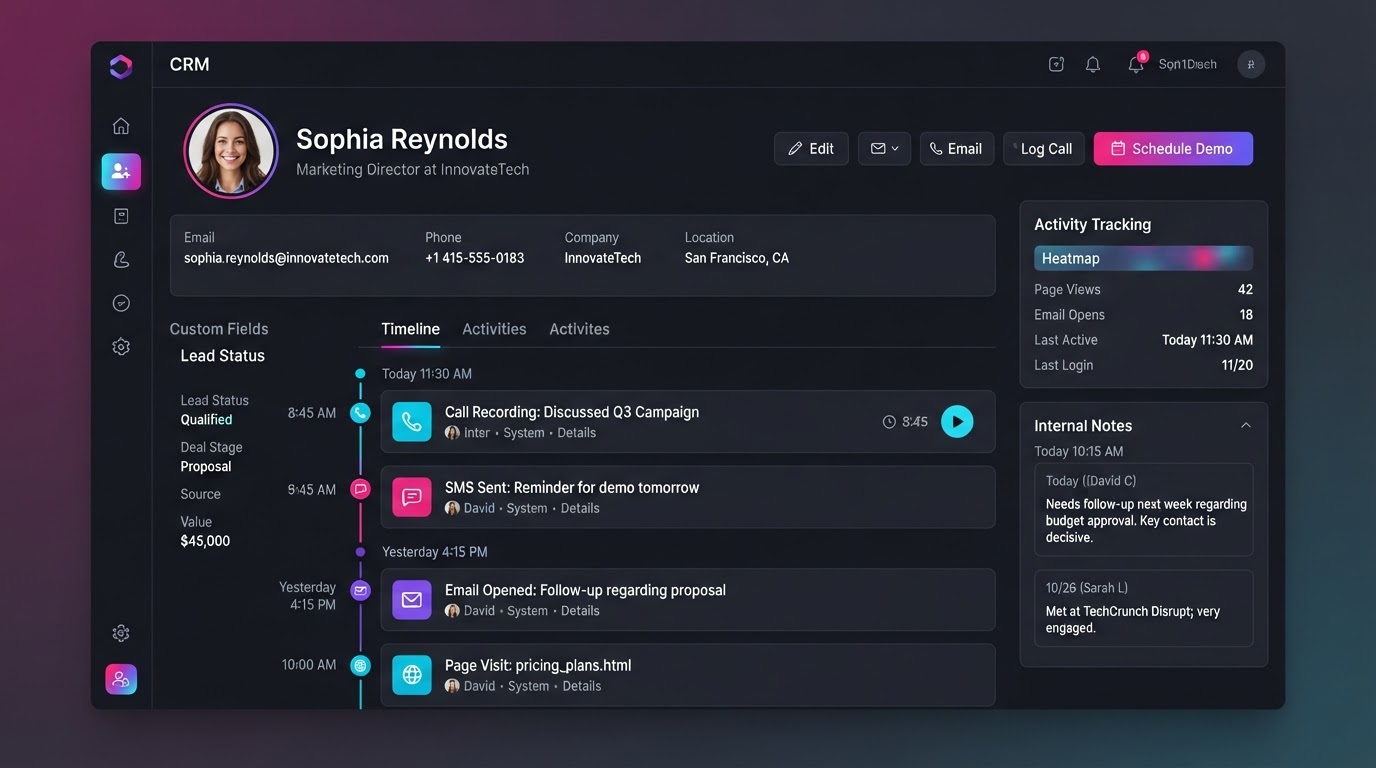
If a lead sends a text on Monday, follows up via Instagram DM on Wednesday, and replies to an email on Friday, all those interactions appear chronologically in a single continuous thread — so you never lose the context of the conversation.
 Reply
Direct In-App Replying
Reply directly from the Conversations tab. A channel selector lets you choose how your outgoing message is sent — you can receive an email but choose to reply via SMS, switching channels on the fly without ever leaving the inbox.
 CRM
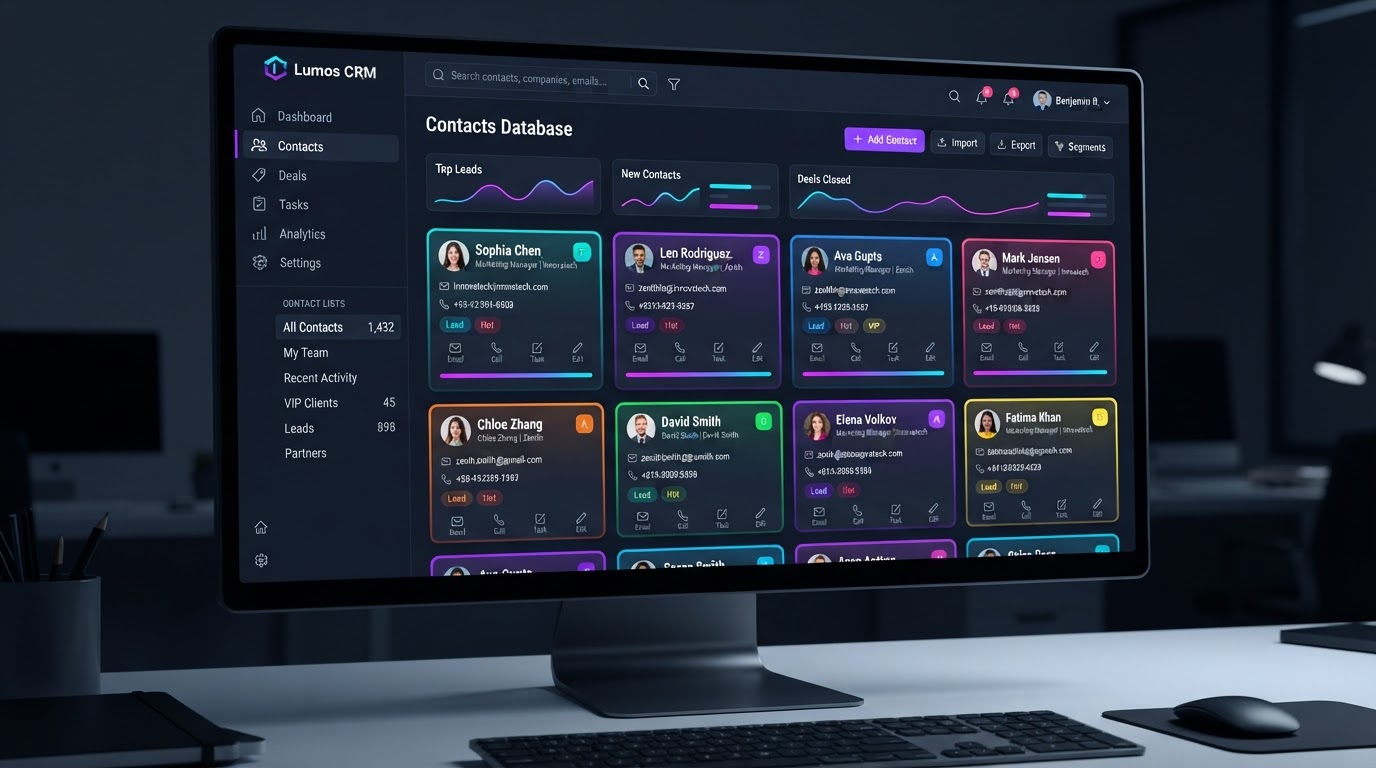
Deep CRM Integration
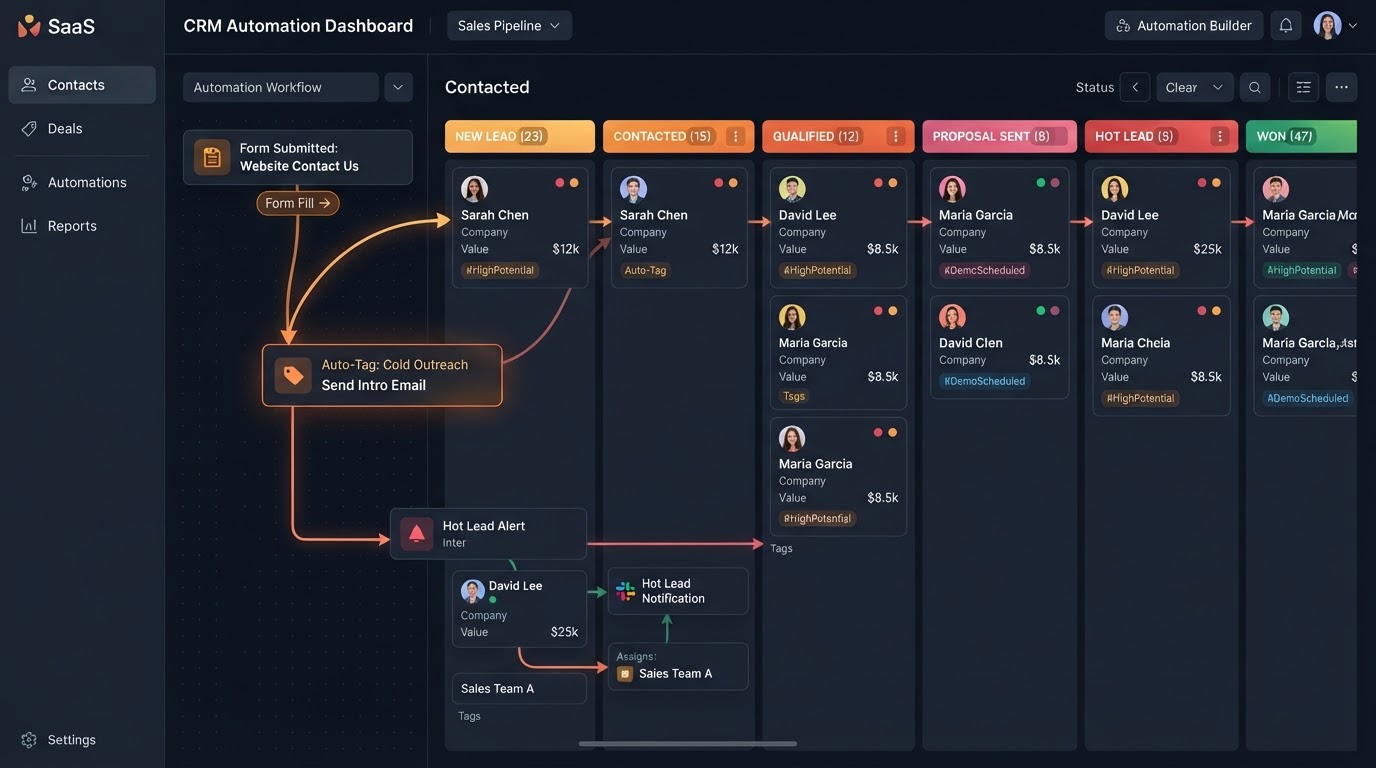
While chatting with a lead, a side panel displays their CRM profile — letting you instantly update contact info, add tags, move them to a new pipeline stage, book an appointment, or send an invoice without ever leaving the chat.
 Team
Team Collaboration & Mentions
The inbox supports private internal comments and @mentions. Team members can tag each other to ask questions or leave notes behind the scenes inside a customer's thread — without the customer ever seeing it.
FROM EVERY CHANNEL TO ONE THREAD
Every message flows into one centralized inbox, every interaction stays in one continuous thread, and every conversation is backed by your full CRM — so your team collaborates and your leads never fall through the cracks.
Every Channel, One Inbox
Stop Platform-Hopping & Never Miss A Message
Instead of checking a phone for texts, Gmail for emails, and Instagram for DMs, the Conversations tab consolidates every message a business receives across every platform into a single centralized dashboard — solving the problem of platform-hopping for good.
- SMS & MMS text messages with full media support
- Email via 2-way sync with Gmail, Outlook, and more
- Facebook Messenger and Instagram DMs unified
- Google Business Profile chat, WhatsApp, and website chat
- Phone calls with call recordings, voicemails, and transcripts
Complete Conversation Context
Every Message In One Continuous Thread
Unified Contact Threads display every interaction with a lead chronologically in a single continuous thread. If a lead texts on Monday, DMs on Wednesday, and emails on Friday — all of it lives together, so you never lose the context of who said what and when.
- Chronological cross-channel conversation threads
- Reply by any channel with a built-in channel selector
- Side-panel CRM profile visible while you chat
- Update tags, pipeline stage, and appointments in-chat
- Send invoices and book calls without leaving the thread
Team Collaboration & Filtering
Private Notes, Mentions & Smart Filters
For agencies and sales teams, the inbox supports private internal comments and @mentions so teammates can collaborate behind the scenes. Advanced filtering with tags and AND/OR conditional operators lets you instantly find the exact conversations that matter.
- Private internal comments invisible to the customer
- @mention teammates to ask questions behind the scenes
- Filter by tags with AND/OR conditional operators
- Find High Priority messages assigned to a specific rep
- Total visibility into every customer's engagement history
CONVERSATIONS IN EVERY INDUSTRY
Real-world scenarios where the unified inbox, cross-channel threads, and deep CRM integration keep every business responding fast — from restaurants to law firms.
Reservations Across Every Channel
A restaurant receives reservation requests via phone calls, Instagram DMs, Google Business chat, and text messages. The Conversations tab unifies them all into one inbox so the host never misses a booking — every reservation lands in the same thread with the guest's full history.
Leads Never Slip Between Platforms
A real estate agent gets inquiries from Facebook Messenger, text, email, and website chat. Instead of juggling four inboxes, every message flows into one unified thread — so a lead who DMs on Sunday and emails on Tuesday is always recognized and never forgotten.
Appointments Booked Without Leaving Chat
A med spa's front desk chats with a client over text about a booking, then switches to email for a treatment follow-up — all in one thread. The CRM side panel lets them book the appointment, tag the client VIP, and send an invoice without ever leaving the conversation.
Team Mentions Keep Clients Moving
An agency account manager receives a client DM and needs the strategist's input. They @mention the teammate in a private internal comment — the client never sees it — and the strategist jumps in with the answer, all inside the same conversation thread.
Call Transcripts Alongside Every Text
A law firm's intake calls are recorded and transcribed automatically, appearing in the same thread as the caller's texts and emails. The intake team reviews the full conversation history in one place before the consultation — no scrambling across platforms.
Smart Filters Find Hot Leads Fast
A contractor tags urgent inquiries as High Priority and filters the inbox to show only those messages assigned to their top rep. With AND/OR filtering they surface the hottest opportunities in seconds — and reply before the lead calls a competitor.
Replace all your messaging tools with one platform
Stop paying for separate SMS apps, email clients, social DM managers, and helpdesks. Westcoast Conversations unifies your entire communication stack — native inside your CRM.
Pick the software you're paying for today. We'll estimate your current monthly cost and show how Westcoast AI replaces it all — CRM, AI, and automation — with a plan sized for your team.
Select your current tools
0 selected · 302 platformsWestcoast AI
1 unified platform
CRM + AI + Automations included
Your Stack (est.)
$0/mo
0 tools
Est. Savings
$0/mo
$0/yr
Select the platforms you use today to see a feature-by-feature comparison with Westcoast AI.
MONTHLY PLANS
PRICING THAT FITS YOUR NEEDS AND BUDGET WITH ALL THE AUTOMATED AI INCLUDED
STARTER
- Basic
- 7-day free trial
- No setup fees
- 1 user
- AI & Automation
- AI Studio Web Builder
- Funnel Builder
- AI Voice Agent
- Text Message Conversation AI
- Creator Studio
- Mobile App Builder
- Basic AI Agents
- CRM
- Unlimited Contacts
- Opportunities & Pipeline Tracking
- Tasks
- Booking Calendars
- Marketing
- Social Media Planner & Automation
- Mass Email Campaigns
- Review & Reputation Management
- Social Media Ad Manager
- Affiliate Marketing Manager
GROWTH
- Basic
- 7-day free trial
- 20% off any advanced monthly AI services or lead generation
- No setup fees
- 3 users
- Snapshot Image For Your Industry Enabled
- AI & Automation
- AI Studio Web Builder
- Funnel Builder
- AI Voice Agent
- Text Message Conversation AI
- Creator Studio
- Mobile App Builder
- Auto Snapshot For Any Industry
- CRM
- Unlimited Contacts
- Opportunities & Pipeline Tracking
- Tasks
- Booking Calendars
- Unified Inbox (Email, SMS, Socials)
- Marketing
- Social Media Planner & Automation
- Mass Email Campaigns
- Review & Reputation Management
- Social Media Ad Manager
- Affiliate Marketing Manager
PREMIUM
- Basic
- 7-day free trial
- 30% off any advanced monthly AI services or lead generation
- No setup fees
- 10 users
- White-glove done-for-you custom setup
- API & Webhook Access
- AI & Automation
- AI Studio Web Builder
- Funnel Builder
- AI Voice Agent
- Text Message Conversation AI
- Creator Studio
- Mobile App Builder
- Auto Snapshot For Any Industry
- White-glove AI bot setup for voice and conversation done for you
- CRM
- Unlimited Contacts
- Opportunities & Pipeline Tracking
- Tasks
- Booking Calendars
- Unified Inbox (Email, SMS, Socials)
- Marketing
- Social Media Planner & Automation
- Mass Email Campaigns
- Review & Reputation Management
- Social Media Ad Manager
- Affiliate Marketing Manager
ENTERPRISE
- Basic
- No setup fees
- 40% off AI Leads and services
- 11 or more users
- White-glove done-for-you custom setup
- API & Webhook Access
- All Enterprise and custom solutions
- AI & Automation
- AI Studio Web Builder
- Funnel Builder
- AI Voice Agent
- Text Message Conversation AI
- Creator Studio
- Mobile App Builder
- Auto Snapshot For Any Industry
- White-glove AI bot setup for voice and conversation done for you
- CRM
- Unlimited Contacts
- Opportunities & Pipeline Tracking
- Tasks
- Booking Calendars
- Unified Inbox (Email, SMS, Socials)
- Marketing
- Social Media Planner & Automation
- Mass Email Campaigns
- Review & Reputation Management
- Social Media Ad Manager
- Affiliate Marketing Manager
CONVERSATIONS QUESTIONS
The Conversations tab is a unified, multi-channel inbox that consolidates every message a business receives across every platform — SMS, email, social DMs, Google chat, WhatsApp, website chat, and phone calls — into a single centralized dashboard inside the CRM. It solves the problem of platform-hopping so no lead ever falls through the cracks.
The inbox pulls in SMS and MMS text messages, email (via 2-way sync with Gmail, Outlook, etc.), Facebook Messenger, Instagram DMs, Google Business Profile chat, WhatsApp, live website chat via the chat widget, and phone calls — including call recordings, voicemails, and transcripts.
If a lead sends a text on Monday, follows up via Instagram DM on Wednesday, and replies to an email on Friday, all of those interactions are displayed chronologically in a single continuous thread. You never lose the context of the conversation, no matter which channel the lead used.
Yes — you can reply directly from the Conversations tab. A channel selector allows you to choose how your outgoing message is sent. For example, you can receive an email but choose to reply via SMS, switching the channel on the fly without ever leaving the inbox.
The inbox is deeply tied to the Contacts database. While chatting with a lead, a side panel displays their CRM profile, allowing you to instantly update their contact info, add tags, move them to a new pipeline stage, book an appointment, or send an invoice — all without leaving the chat.
Yes. The inbox supports private internal comments and @mentions. Team members can tag each other to ask questions or leave notes behind the scenes inside a customer's thread — without the customer ever seeing those internal messages.
See your business built in minutes.
Book a live walkthrough of the Westcoast AI Studio. Tell us what you sell and watch us generate a complete, niche-matched website on the spot — copy, imagery, layout, and CRM integration included.
Book your demo
Tell us about your project — we'll build it live.