BUILD INTELLIGENT AI AGENTS ON A VISUAL CANVAS
Agent Studio is a visual, drag-and-drop canvas for building intelligent, multi-step AI agents. While standard workflows operate on rigid if/then rules, Agent Studio lets you build autonomous systems that interpret conversational context, make dynamic decisions, and use external tools — no code required.
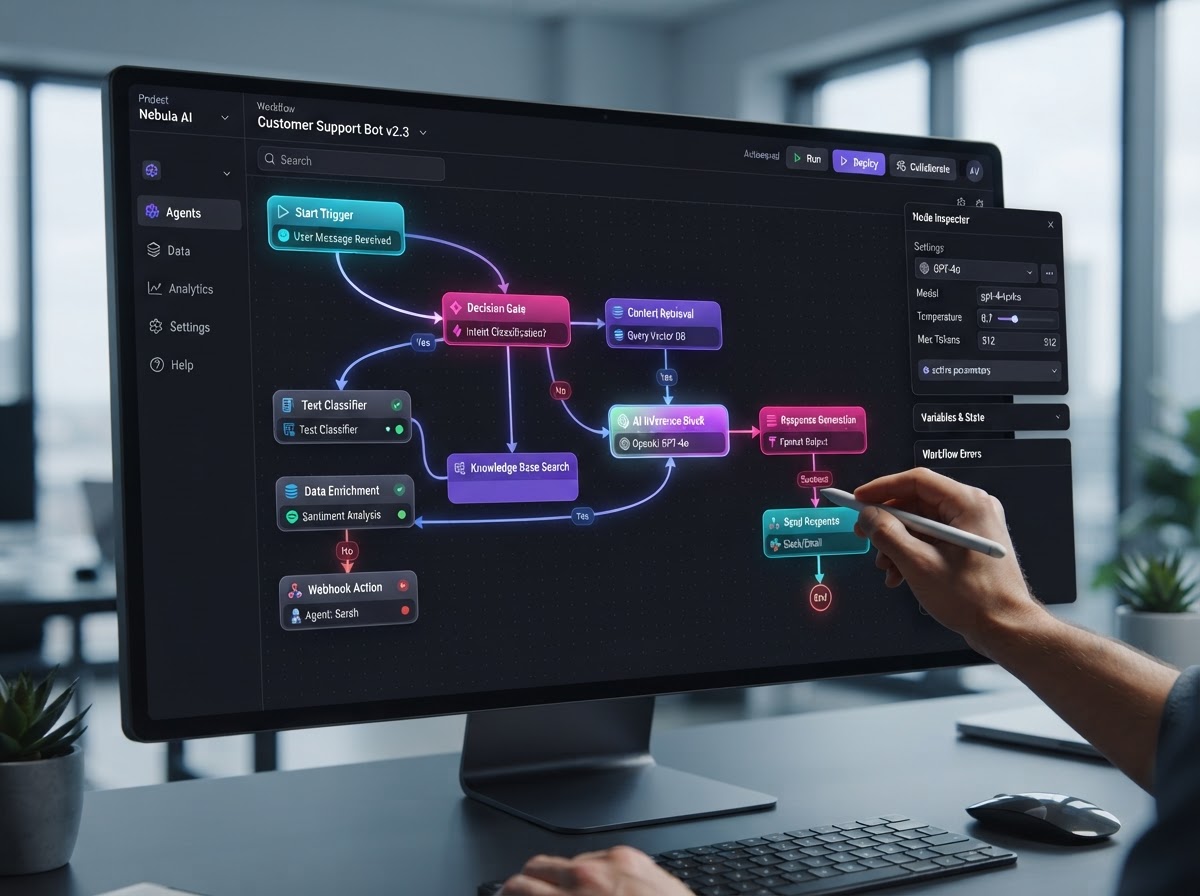
Connect Any Node To Build Any Agent
BUILD ANYTHING WITH WESTCOAST AI
Web apps, mobile apps, websites, AI agents, dashboards, and more — all from a single all-in-one platform.
EVERYTHING POWERING YOUR AI AGENTS
Instead of static auto-replies, equip your agents with sophisticated tools by connecting nodes on the canvas — from an LLM brain to knowledge bases, web search, routing, and external integrations.
The AI Agent Brain
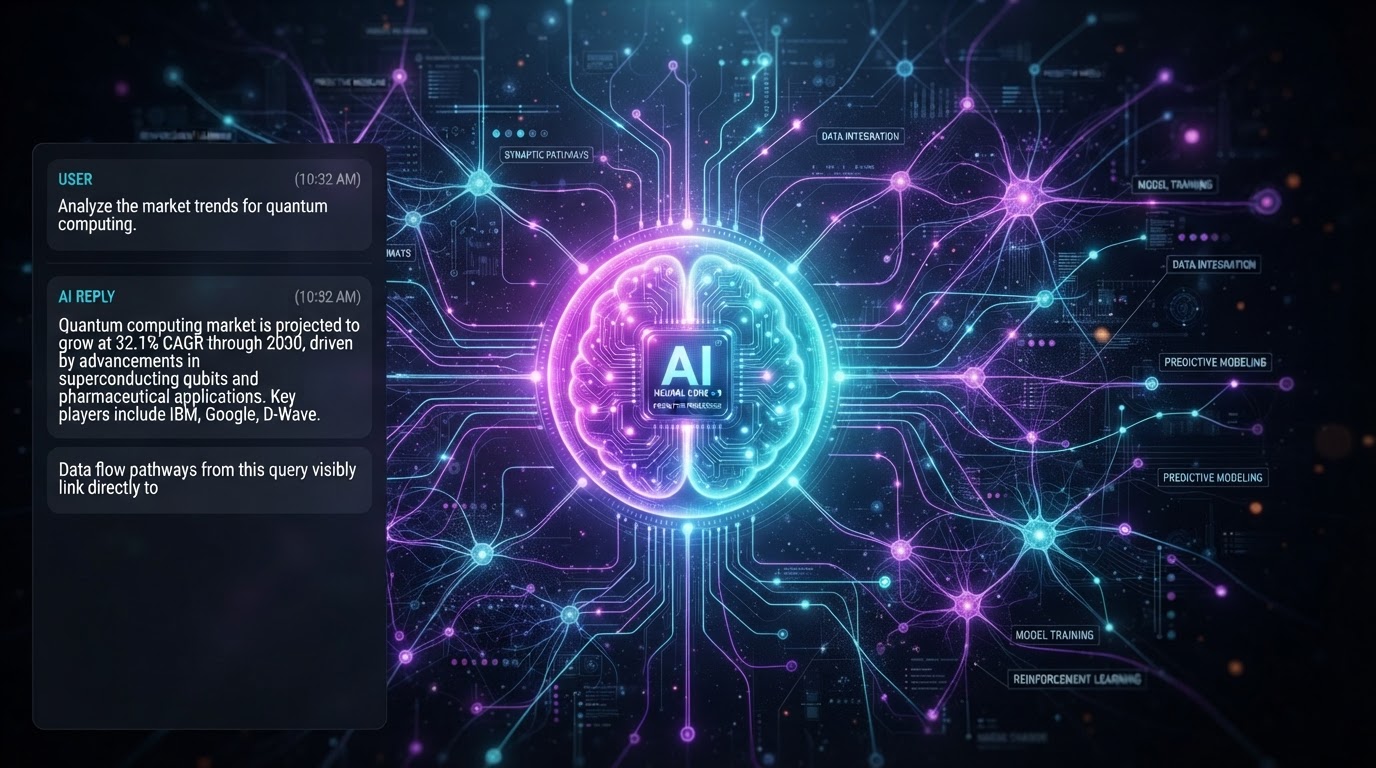
This core LLM node reads the user's input, understands context based on your custom prompts, and generates an intelligent reply — the engine that powers every conversation your agent handles.
Dynamic Data Retrieval
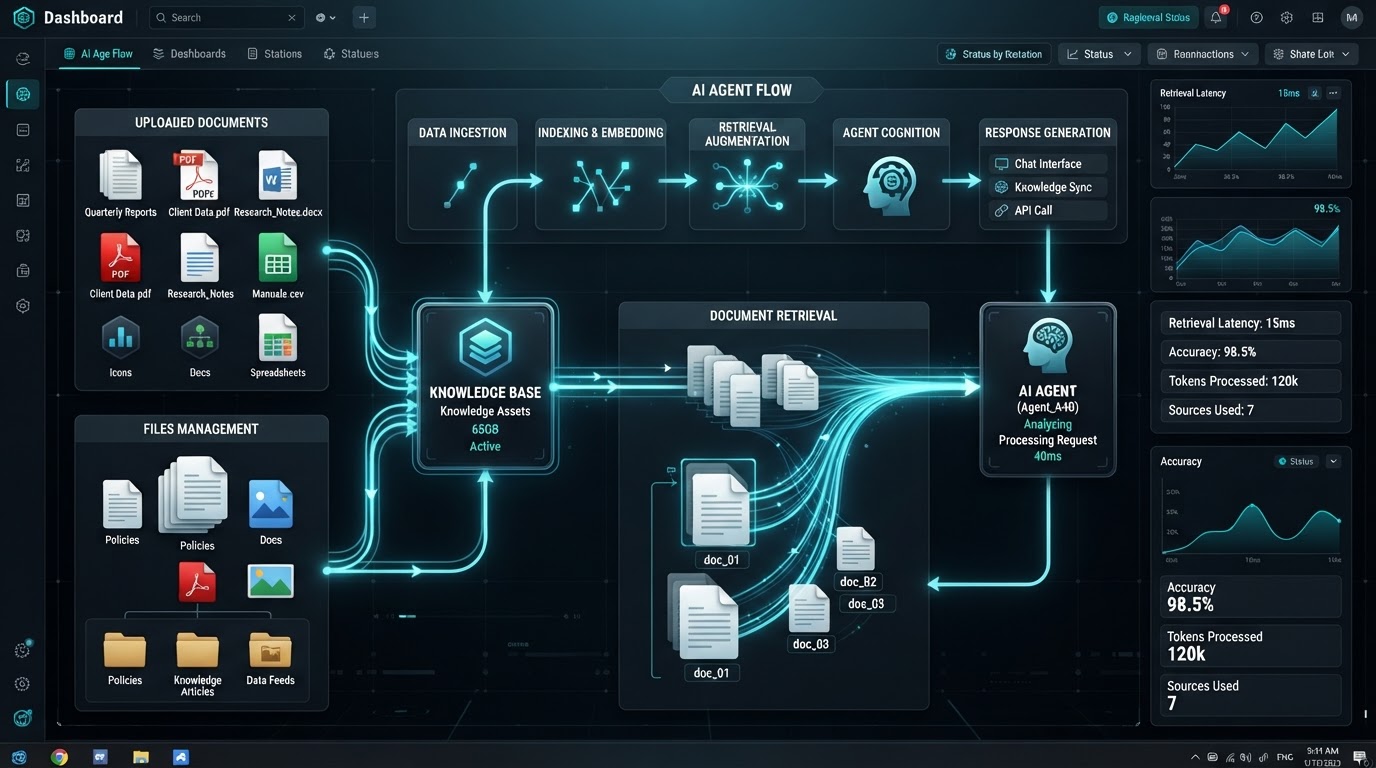
Attach a Knowledge Base node so the agent pulls answers directly from your company's uploaded documents, or a Web Search node to look up real-time, publicly available information from the internet.
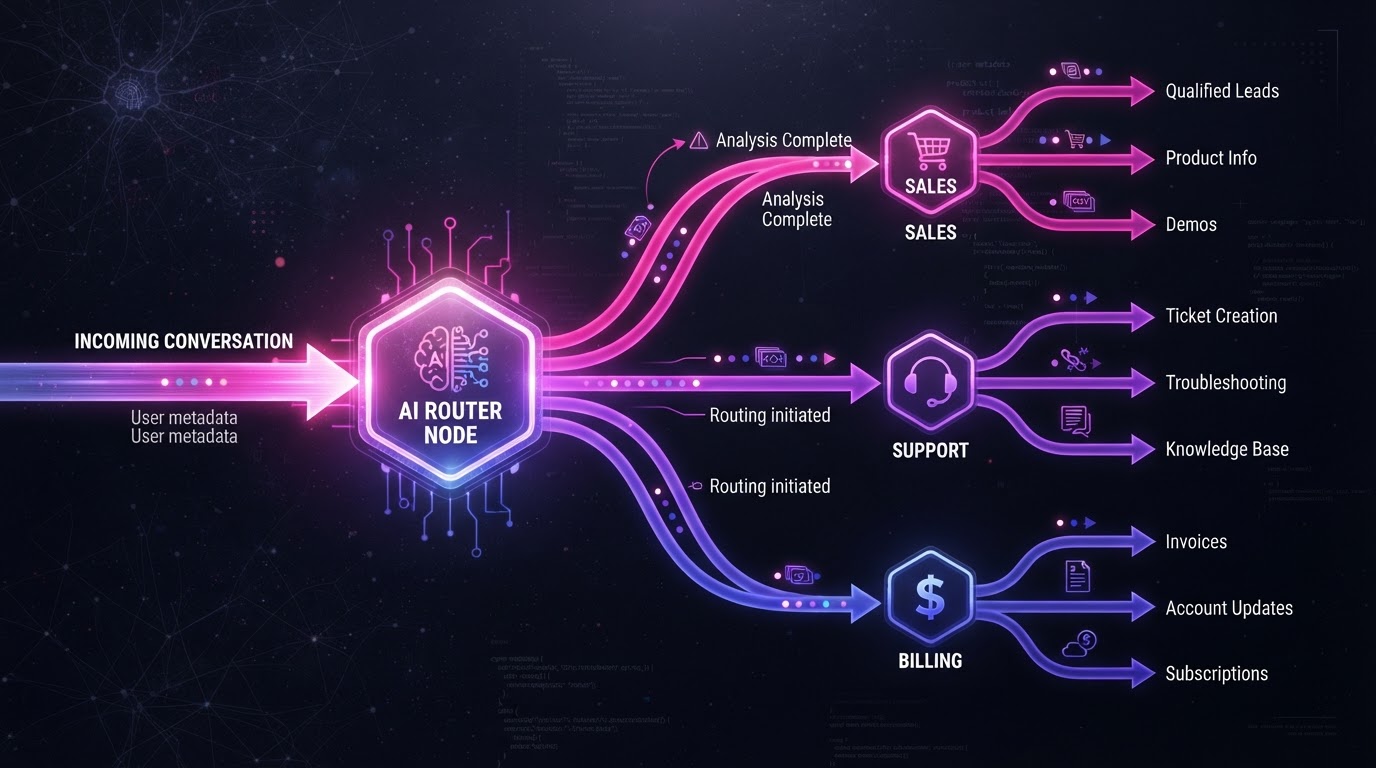
Intent-Based Routing
An AI Router node reads the user's message and autonomously decides which path the flow takes — route to a sales path if they ask for pricing, or a support path if they report a bug.
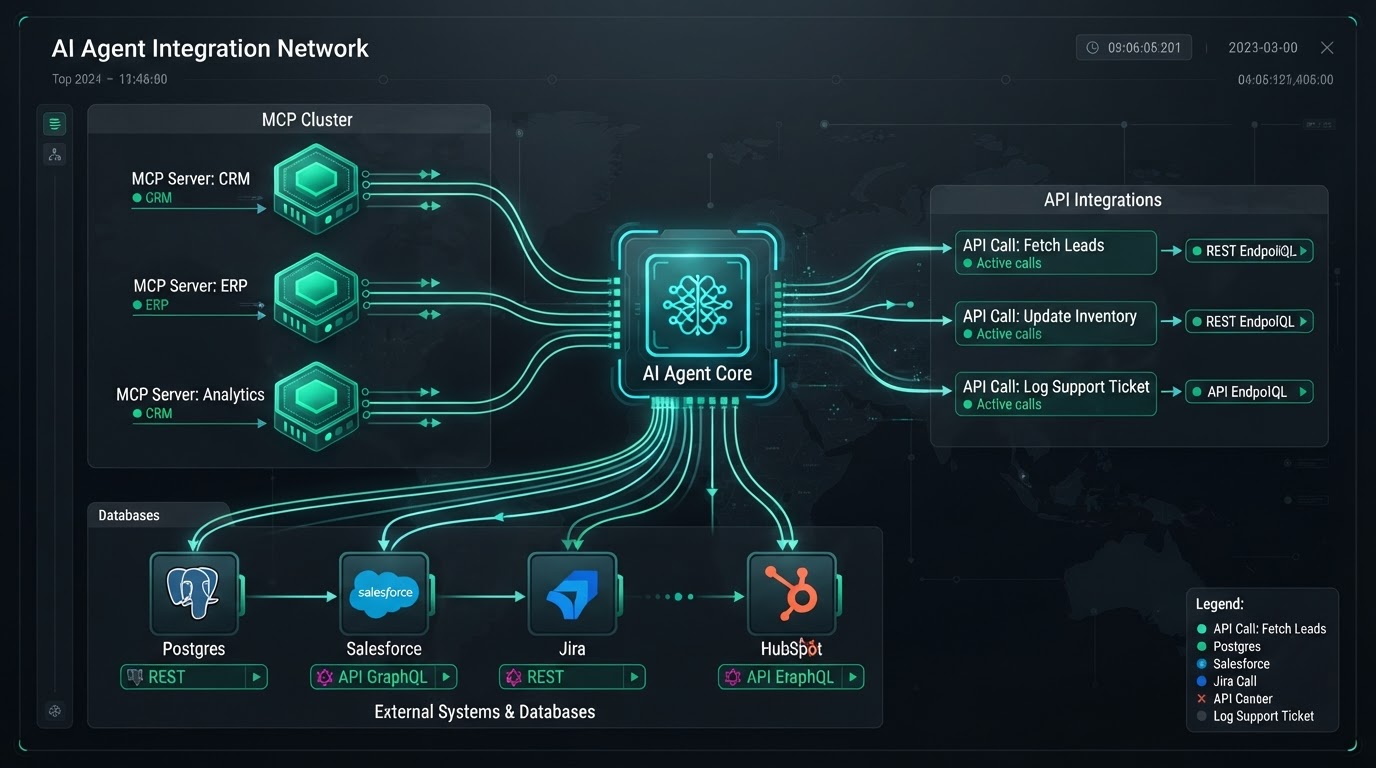
External Integrations
Through API Call nodes and MCP (Model Context Protocol) Server nodes, the agent interacts with third-party software — retrieving a customer's order status or pushing lead data to another platform mid-conversation.
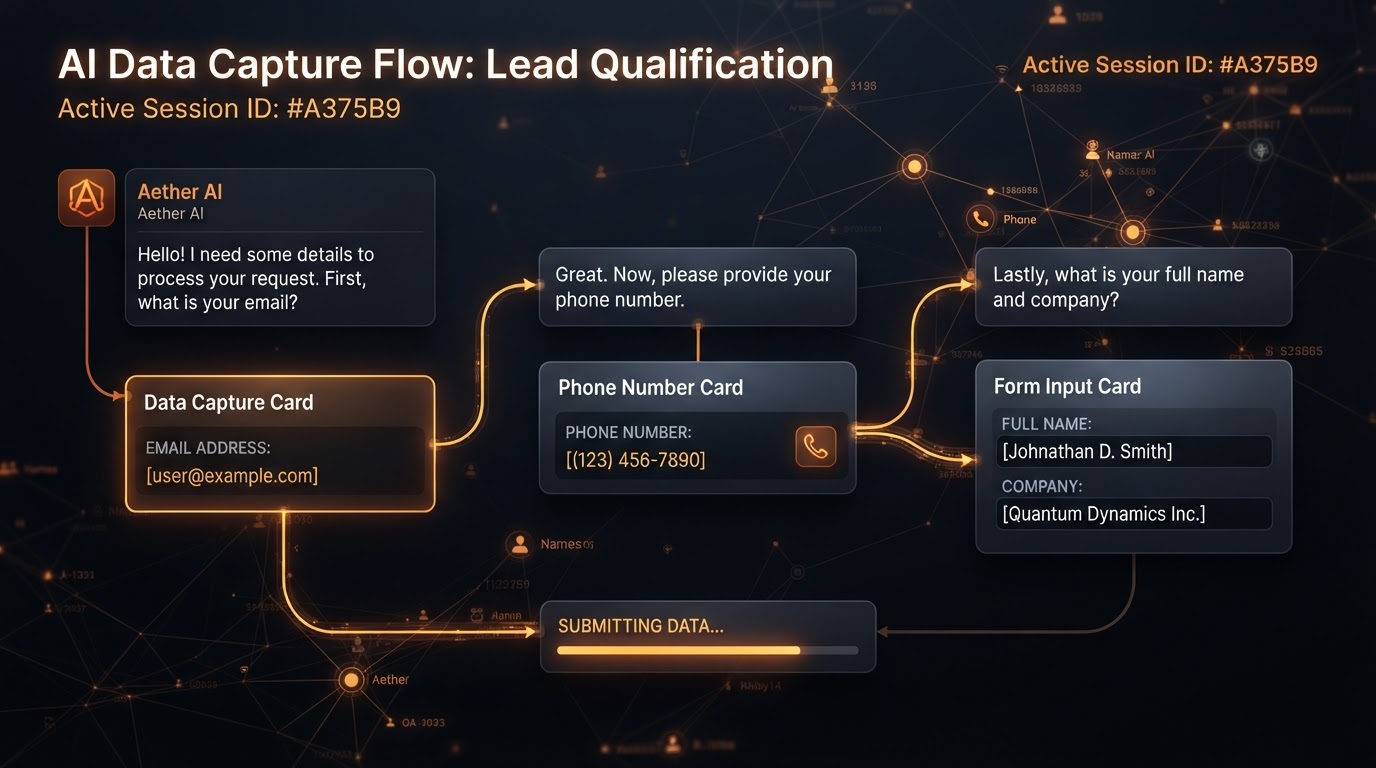
Data Collection & Output
Dedicated capture nodes ensure the AI properly collects formatted data like emails, phone numbers, or multiple-choice selections, while generative nodes let the agent output images or spoken audio within the chat flow.
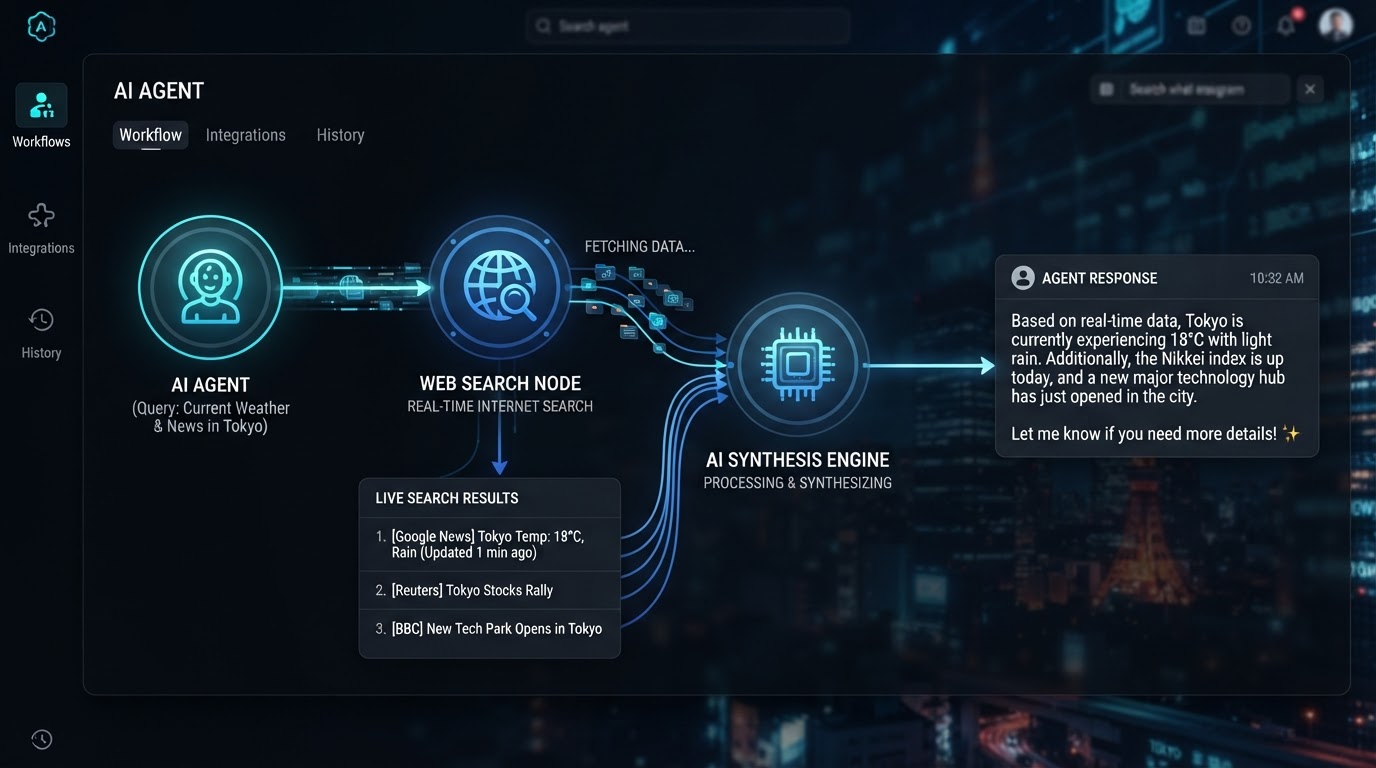
Real-Time Web Search
Connect a Web Search node so your agent can look up live, publicly available information from the internet — answering questions with up-to-the-minute accuracy instead of relying on static training data.
FROM TRIGGER TO CONVERSATION
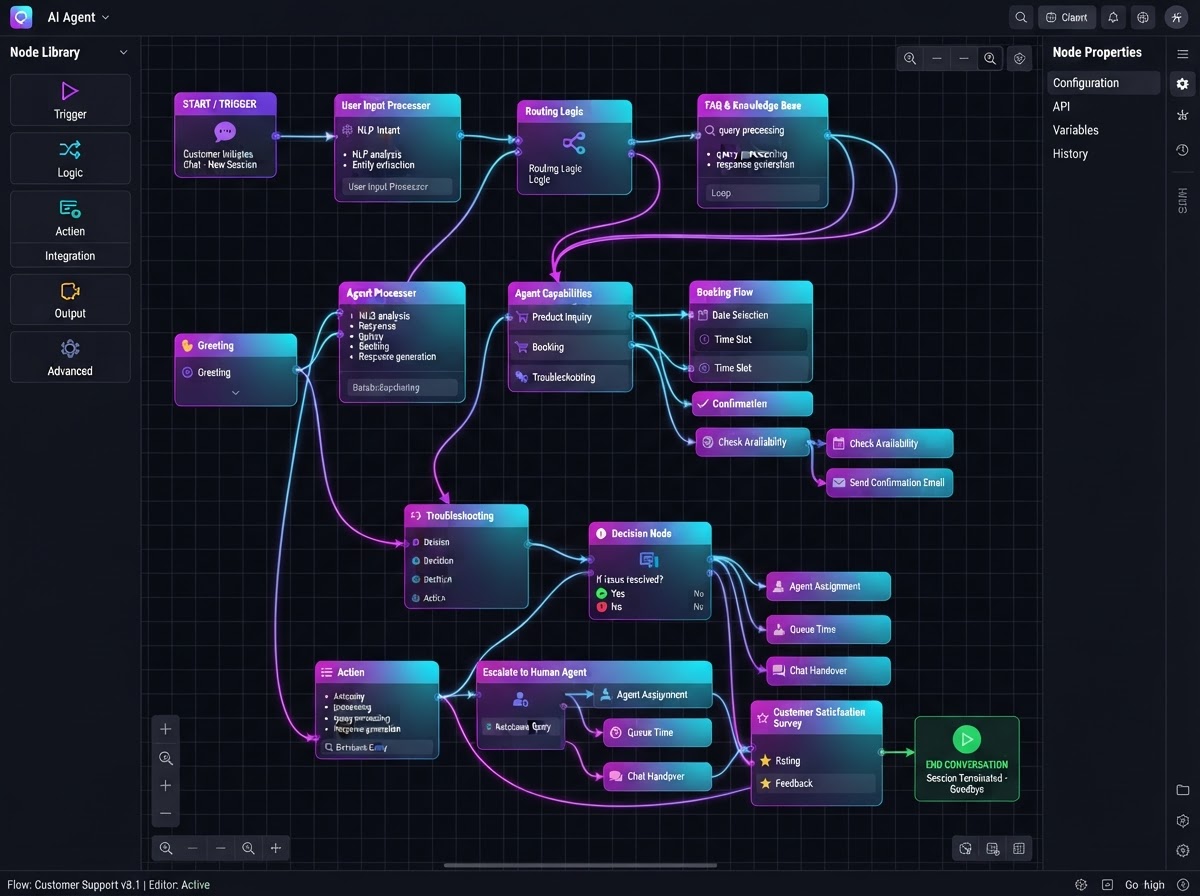
Agent Studio operates on a node-based architecture. Drag building blocks onto a canvas and connect them to map out how the AI should behave — from the initial trigger to the end of every conversation.
Drag, Drop & Connect
Build Autonomous AI Agents On A Visual Canvas
Agent Studio operates on a node-based architecture. Drag different building blocks onto a canvas and connect them to map out exactly how the AI should behave — from the initial trigger to the end of a conversation. No code, no rigid if/then rules.
- Visual node-based canvas replaces rigid deterministic if/then rules
- Drag building blocks and connect them to map conversation flow
- Build multi-step agents that interpret conversational context
- Map everything from the initial trigger to the end of a conversation
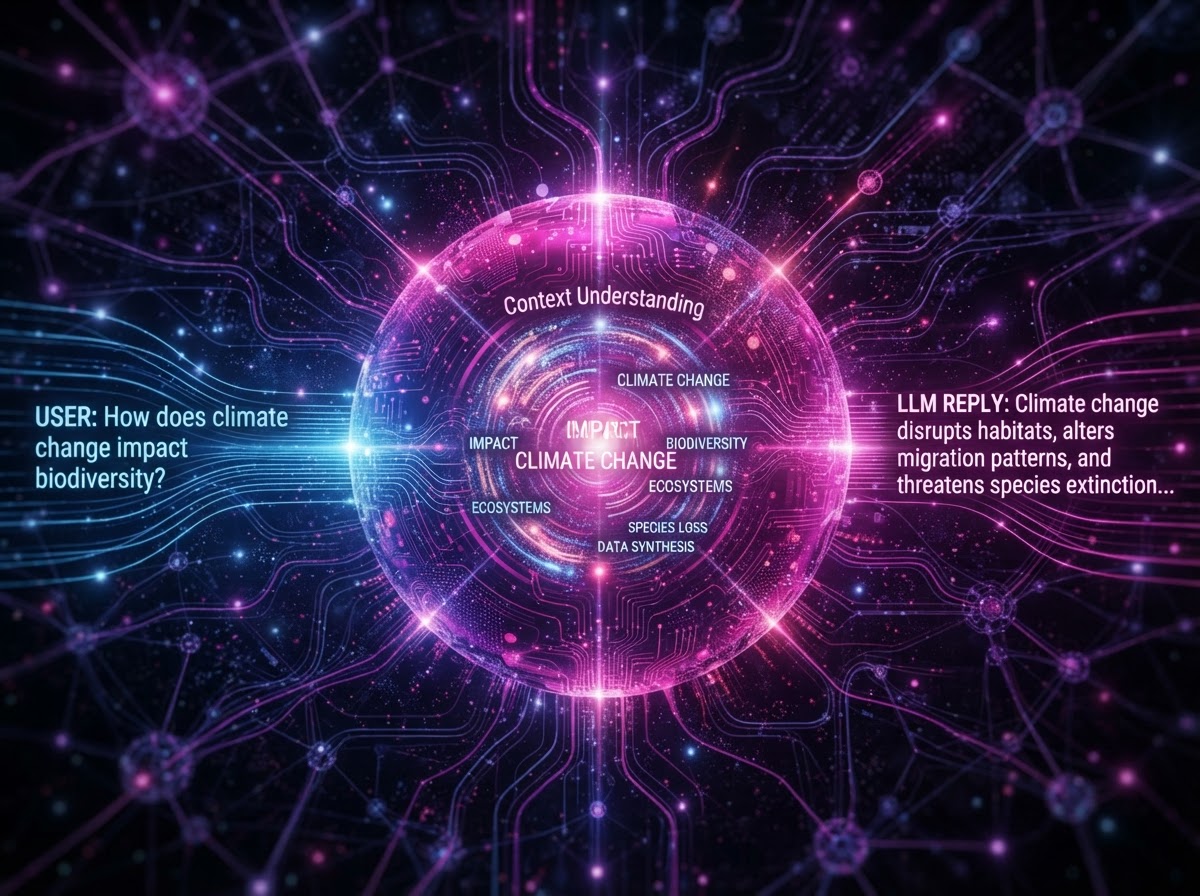
The AI Agent Brain
An LLM That Understands Context & Replies Intelligently
The core LLM node reads the user's input, understands the context based on your custom prompts, and generates an intelligent reply. Instead of sending static auto-replies, your agent interprets nuance and adapts — making every conversation feel human.
- Core LLM node reads input and understands conversational context
- Custom prompts define your agent's personality and knowledge
- Generates intelligent, dynamic replies instead of static auto-responses
- Adapts tone and content based on the flow of the conversation
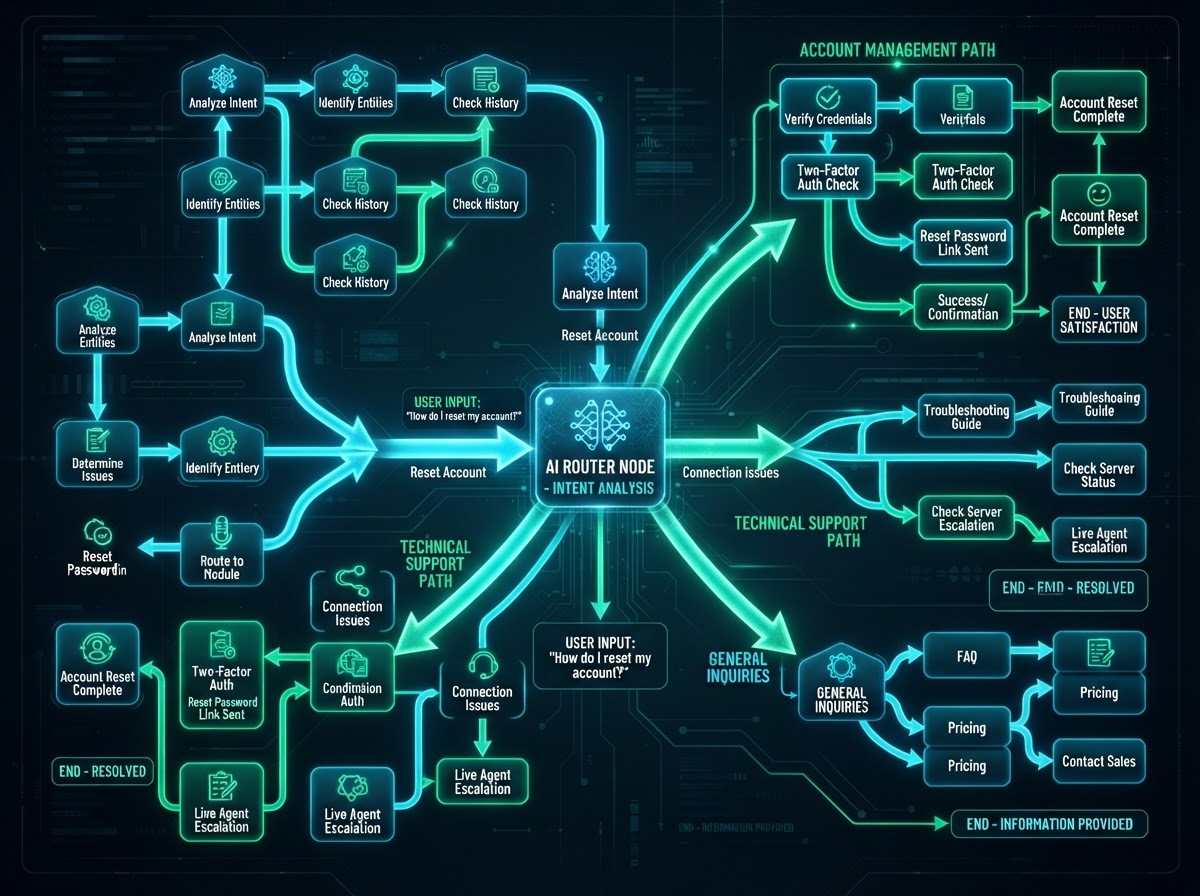
Intent-Based Routing
Let The AI Decide The Best Path Automatically
An AI Router node reads a user's message and autonomously decides which path the flow should take. Route to a sales path if they ask for pricing, a support path if they report a bug, or an onboarding path if they're a new user — the AI decides, not a static rule.
- AI Router node reads messages and routes intelligently
- Sales path for pricing questions, support path for bug reports
- Dynamic branching adapts to user intent in real time
- No hard-coded if/then logic — the AI interprets and decides
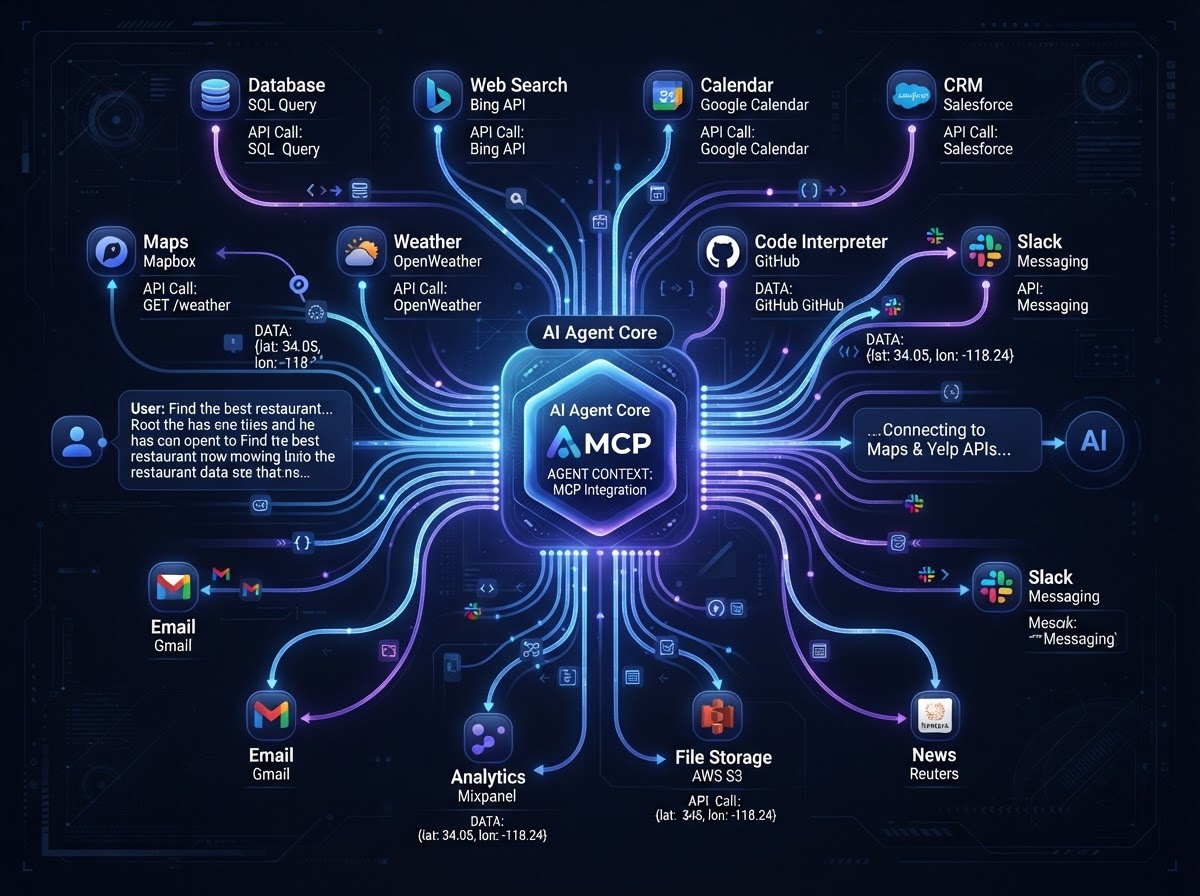
External Tools & APIs
Connect Your Agent To Any Software Mid-Conversation
Through API Call nodes and MCP (Model Context Protocol) Server nodes, your agent can interact with third-party software — retrieving a customer's specific order status from an external database, or pushing lead data to another platform as the conversation unfolds.
- API Call nodes connect agents to any external REST or GraphQL API
- MCP Server nodes enable Model Context Protocol integrations
- Retrieve real-time data like order status mid-conversation
- Push lead data to external CRMs and platforms automatically
AGENTS BUILT FOR EVERY BUSINESS
Real-world scenarios where Agent Studio's node-based canvas transforms a pile of static if/then workflows into autonomous, context-aware AI agents.
AI Agent That Checks Order Status Live
An online store builds an agent that reads customer messages, routes support questions to a Knowledge Base node for instant answers, and uses API Call nodes to pull live order status from the store's database — all in one conversation, no human needed.
Intent Routing For Scheduling & FAQs
A dental office's agent uses an AI Router node to detect whether a caller wants to book, reschedule, or ask about insurance. Booking intent routes to a capture node that collects name and phone; FAQ intent routes to a Knowledge Base of clinic policies.
Web Search For Live Market Data
A realty agent uses a Web Search node to pull live mortgage rates and neighborhood stats, then feeds that data into the AI Brain's reply. Buyers get real-time, accurate answers about any listing without the agent lifting a finger.
Multi-Step Onboarding With Data Capture
A SaaS team builds an onboarding agent that asks new users a series of questions, uses capture nodes to collect emails and company size, and uses an MCP Server node to push that data straight into their product database — zero manual entry.
Knowledge Base For Instant Legal Answers
A law firm uploads practice-area FAQs and intake documents to a Knowledge Base node. The agent instantly answers common legal questions, routes complex cases to the right attorney via intent-based routing, and captures case details for follow-up.
Lead Qualification With API Push
An agency builds a lead-qualification agent that asks qualifying questions, scores the lead with the AI Brain, and uses API Call nodes to push qualified leads directly into their client's CRM pipeline — all within a single conversation flow.
Replace all your AI tools with one platform
Stop paying for separate AI agent builders, chatbot platforms, and workflow automation tools. Westcoast Agent Studio consolidates your entire AI agent stack — native inside your CRM.
Pick the software you're paying for today. We'll estimate your current monthly cost and show how Westcoast AI replaces it all — CRM, AI, and automation — with a plan sized for your team.
Select your current tools
0 selected · 302 platformsWestcoast AI
1 unified platform
CRM + AI + Automations included
Your Stack (est.)
$0/mo
0 tools
Est. Savings
$0/mo
$0/yr
Select the platforms you use today to see a feature-by-feature comparison with Westcoast AI.
MONTHLY PLANS
PRICING THAT FITS YOUR NEEDS AND BUDGET WITH ALL THE AUTOMATED AI INCLUDED
STARTER
- Basic
- 7-day free trial
- No setup fees
- 1 user
- AI & Automation
- AI Studio Web Builder
- Funnel Builder
- AI Voice Agent
- Text Message Conversation AI
- Creator Studio
- Mobile App Builder
- Basic AI Agents
- CRM
- Unlimited Contacts
- Opportunities & Pipeline Tracking
- Tasks
- Booking Calendars
- Marketing
- Social Media Planner & Automation
- Mass Email Campaigns
- Review & Reputation Management
- Social Media Ad Manager
- Affiliate Marketing Manager
GROWTH
- Basic
- 7-day free trial
- 20% off any advanced monthly AI services or lead generation
- No setup fees
- 3 users
- Snapshot Image For Your Industry Enabled
- AI & Automation
- AI Studio Web Builder
- Funnel Builder
- AI Voice Agent
- Text Message Conversation AI
- Creator Studio
- Mobile App Builder
- Auto Snapshot For Any Industry
- CRM
- Unlimited Contacts
- Opportunities & Pipeline Tracking
- Tasks
- Booking Calendars
- Unified Inbox (Email, SMS, Socials)
- Marketing
- Social Media Planner & Automation
- Mass Email Campaigns
- Review & Reputation Management
- Social Media Ad Manager
- Affiliate Marketing Manager
PREMIUM
- Basic
- 7-day free trial
- 30% off any advanced monthly AI services or lead generation
- No setup fees
- 10 users
- White-glove done-for-you custom setup
- API & Webhook Access
- AI & Automation
- AI Studio Web Builder
- Funnel Builder
- AI Voice Agent
- Text Message Conversation AI
- Creator Studio
- Mobile App Builder
- Auto Snapshot For Any Industry
- White-glove AI bot setup for voice and conversation done for you
- CRM
- Unlimited Contacts
- Opportunities & Pipeline Tracking
- Tasks
- Booking Calendars
- Unified Inbox (Email, SMS, Socials)
- Marketing
- Social Media Planner & Automation
- Mass Email Campaigns
- Review & Reputation Management
- Social Media Ad Manager
- Affiliate Marketing Manager
ENTERPRISE
- Basic
- No setup fees
- 40% off AI Leads and services
- 11 or more users
- White-glove done-for-you custom setup
- API & Webhook Access
- All Enterprise and custom solutions
- AI & Automation
- AI Studio Web Builder
- Funnel Builder
- AI Voice Agent
- Text Message Conversation AI
- Creator Studio
- Mobile App Builder
- Auto Snapshot For Any Industry
- White-glove AI bot setup for voice and conversation done for you
- CRM
- Unlimited Contacts
- Opportunities & Pipeline Tracking
- Tasks
- Booking Calendars
- Unified Inbox (Email, SMS, Socials)
- Marketing
- Social Media Planner & Automation
- Mass Email Campaigns
- Review & Reputation Management
- Social Media Ad Manager
- Affiliate Marketing Manager
AGENT STUDIO QUESTIONS
Agent Studio is a visual, drag-and-drop canvas for building intelligent, multi-step AI agents. Instead of rigid if/then workflow rules, you drag building-block nodes onto a canvas and connect them to map out how the AI should behave from trigger to the end of a conversation.
Standard workflows operate on deterministic if/then rules. Agent Studio lets you build autonomous systems that interpret conversational context, make dynamic decisions, and use external tools — the AI adapts to what the user actually says instead of following a fixed path.
You can connect an AI Agent Brain (LLM) node, Knowledge Base nodes for document retrieval, Web Search nodes for real-time internet lookups, AI Router nodes for intent-based routing, API Call and MCP Server nodes for external integrations, and capture/generative nodes for collecting data and outputting images or audio.
Yes. Through API Call nodes and MCP (Model Context Protocol) Server nodes, the agent can interact with third-party software — retrieving a customer's order status from an external database or pushing lead data to another platform mid-conversation.
No. Agent Studio is fully visual — you drag and connect nodes on a canvas. The AI interprets context, makes routing decisions, and uses connected tools automatically based on the conversational flow you design.
Yes. Dedicated capture nodes ensure the AI properly collects formatted data like emails, phone numbers, or multiple-choice selections. Generative nodes can also output images or spoken audio within the chat flow.
See your business built in minutes.
Book a live walkthrough of the Westcoast AI Studio. Tell us what you sell and watch us generate a complete, niche-matched website on the spot — copy, imagery, layout, and CRM integration included.

Book your demo
Tell us about your project — we'll build it live.