DESIGN, SCHEDULE & DEPLOY EMAIL CAMPAIGNS
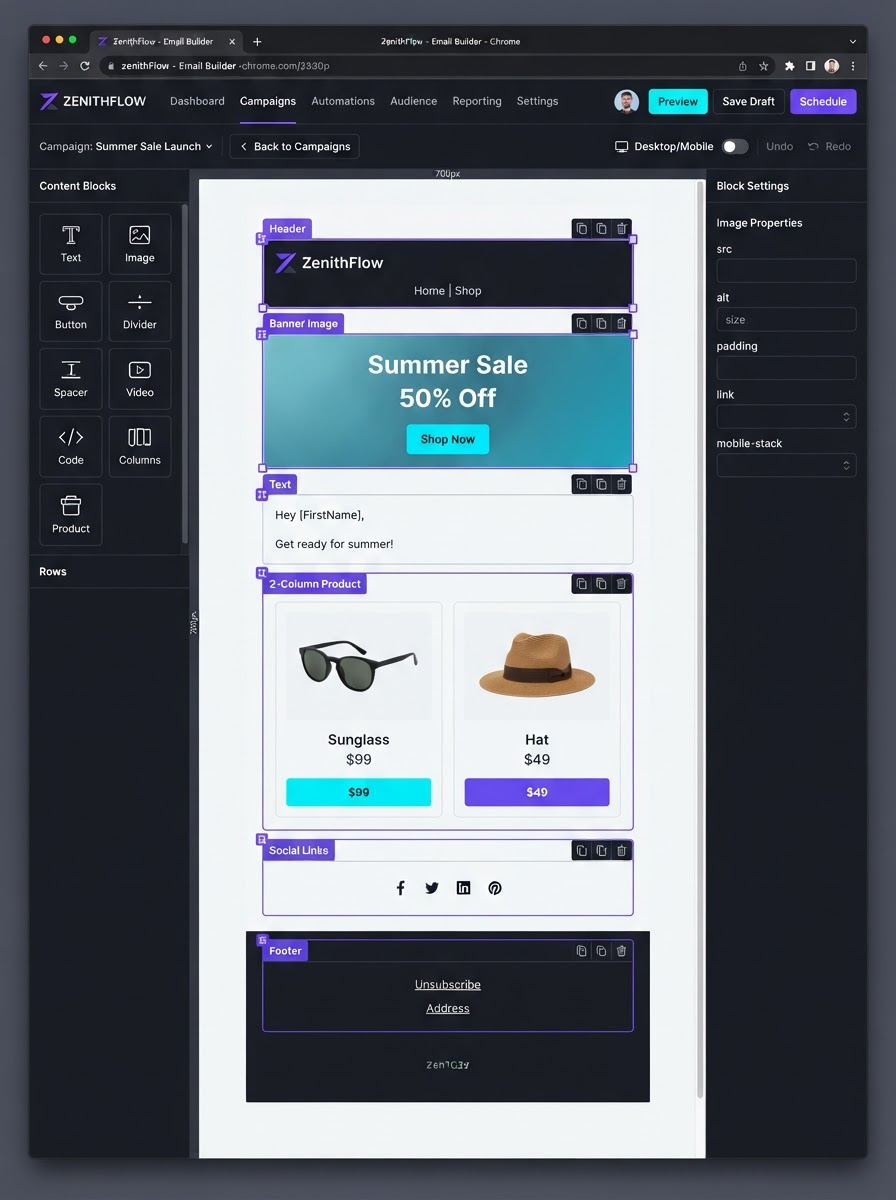
An Email Campaign is the actual marketing email you design, schedule, and deploy to a specific audience — a Smart List or filtered group of contacts. While an Email Template is a reusable design shell, the Campaign is the live execution. Build with a drag-and-drop editor, personalize with live CRM data, drip in batches, and track everything natively inside your CRM.
Your Native Email Marketing Command Center
BUILD ANYTHING WITH WESTCOAST AI
Web apps, mobile apps, websites, AI agents, dashboards, and more — all from a single all-in-one platform.
EVERYTHING POWERING YOUR EMAIL CAMPAIGNS
Six core capabilities that turn a reusable template into a live, personalized, batch-scheduled, fully-tracked campaign — all native inside your CRM, no extra subscription required.
 Builder
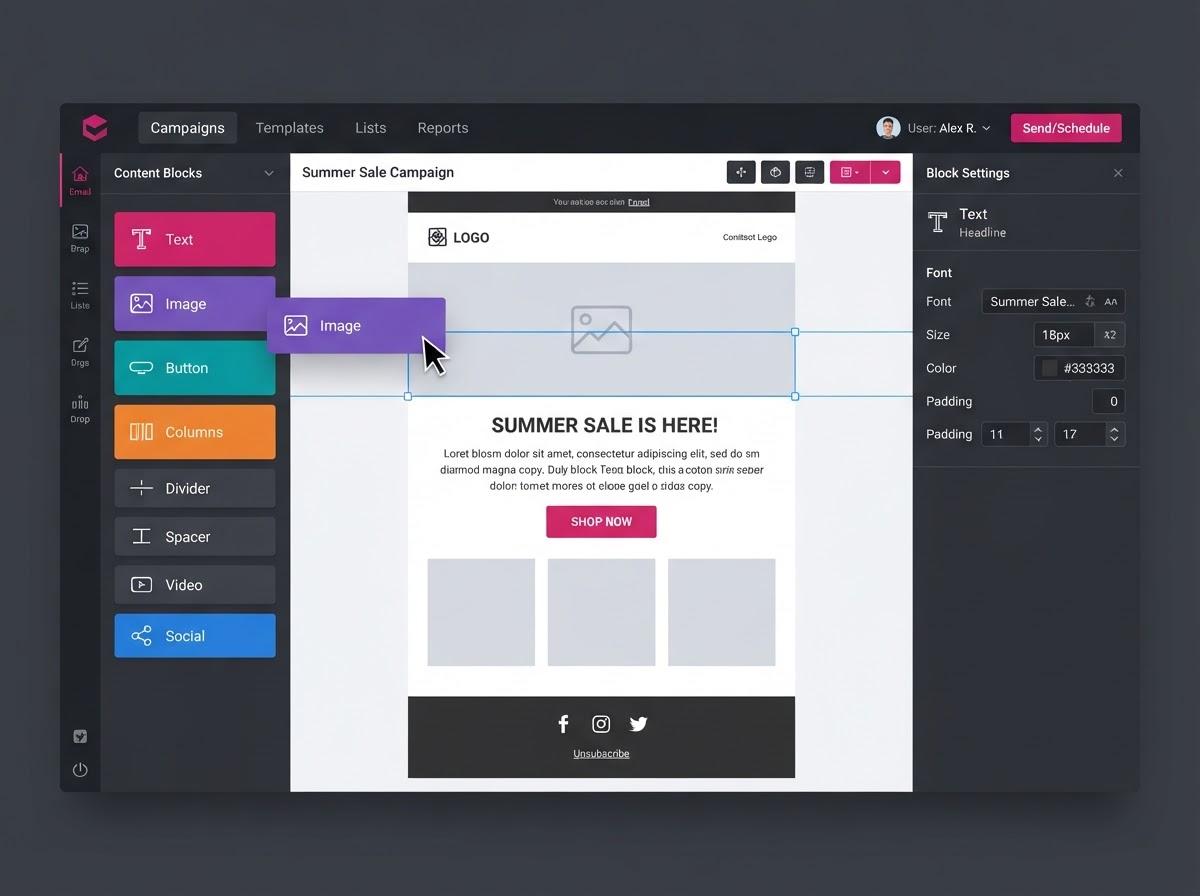
Drag-and-Drop Builder
Build campaigns with a visual, block-based editor. Stack text sections, images, social links, and CTA buttons — or switch to a Code Editor for custom HTML and a Plain Text editor for simple, conversational messages.
 Personalize
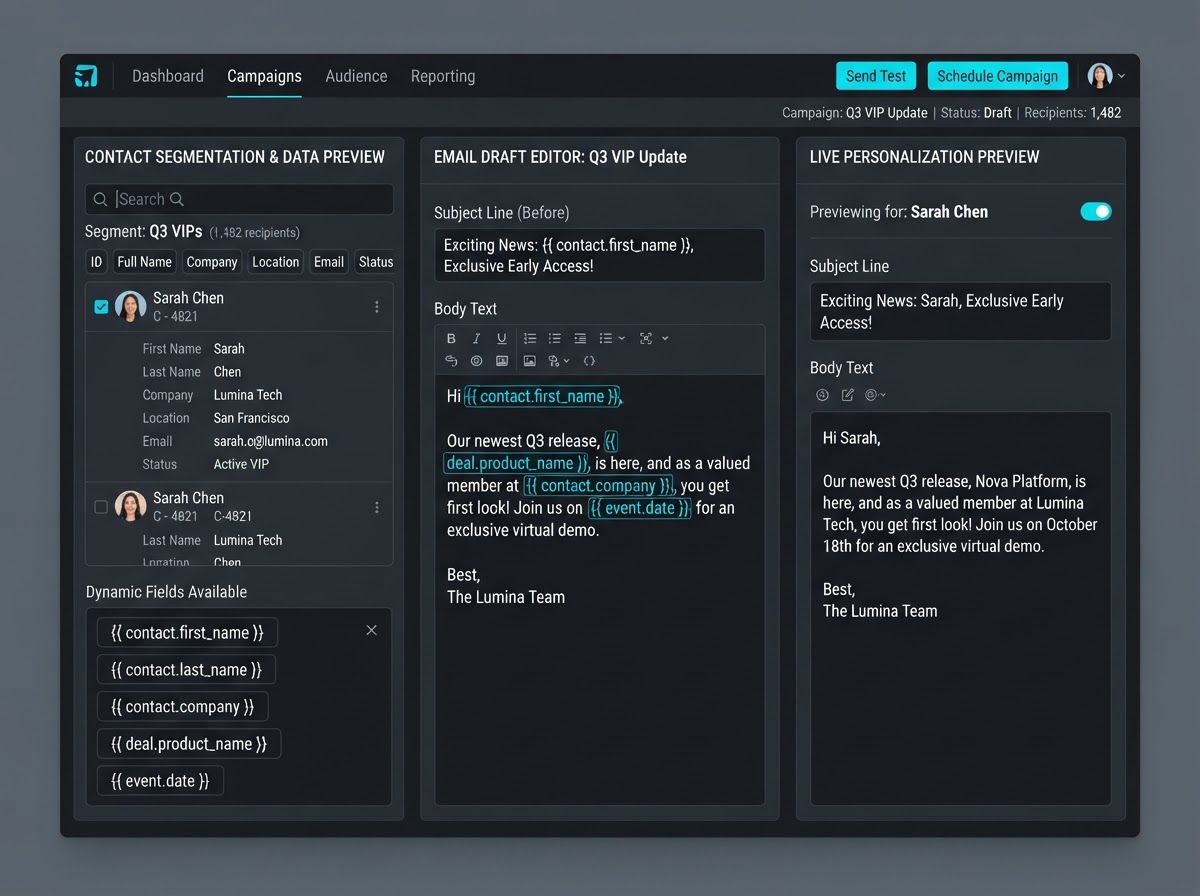
Dynamic Personalization
Pull live CRM data directly into the email body and subject line using Custom Values. Syntax like {{contact.first_name}} or {{appointment.start_date_time}} personalizes every recipient's email automatically — no manual merges.
 Drip
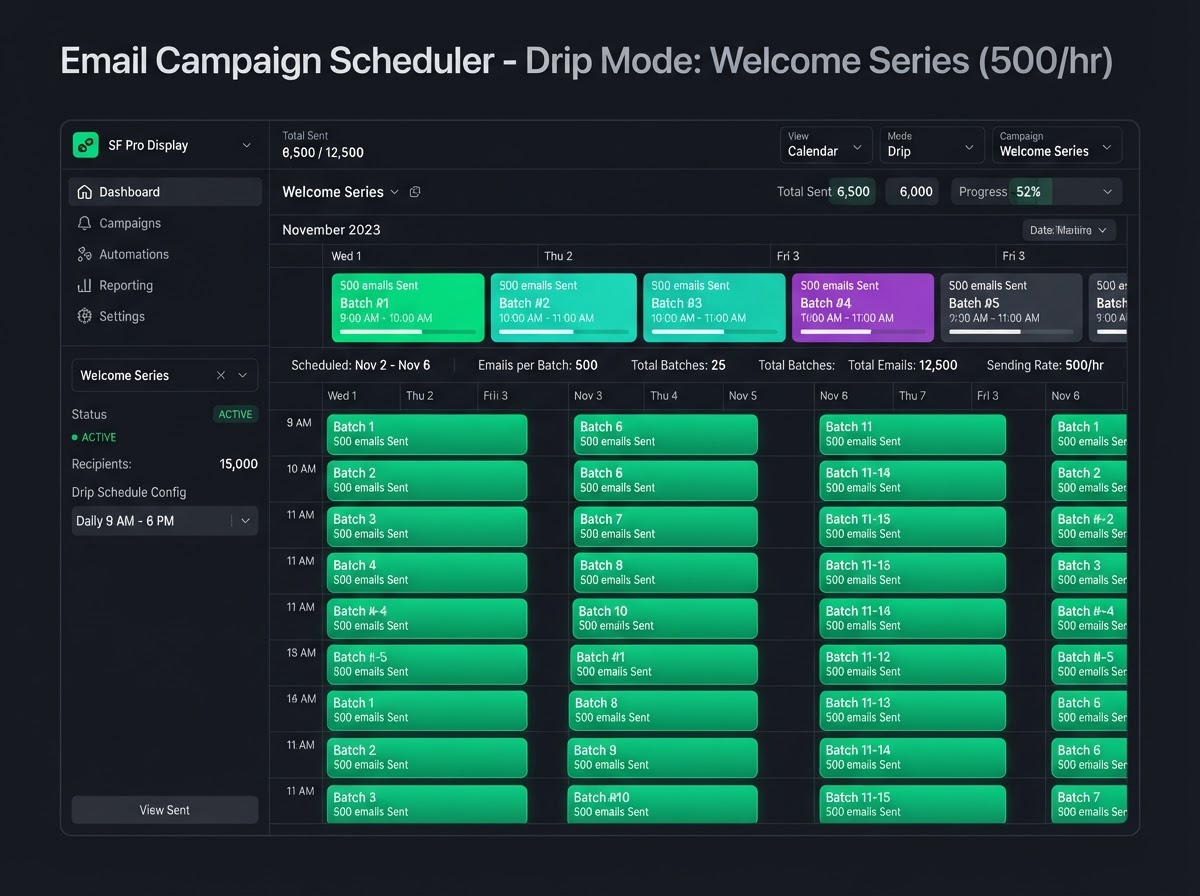
Batch Scheduling (Drip Mode)
Instead of blasting 10,000 contacts at once and tripping spam filters, drip the campaign. Send a set quantity of emails at customized intervals — 500 every hour — so deliverability stays high and your sales team isn't overwhelmed.
 Validate
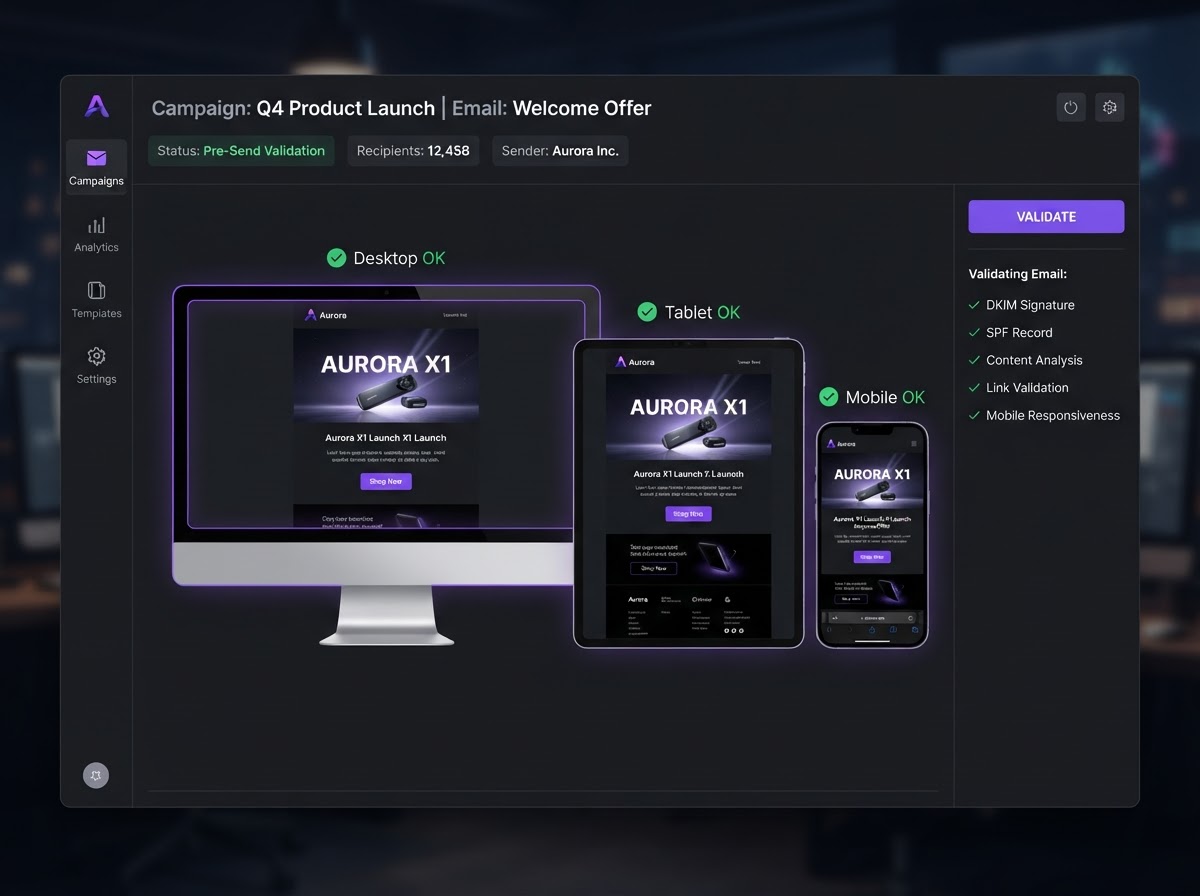
Pre-Send Validation
Preview how the campaign renders across desktop, tablet, and mobile displays before launching. Send a test email to your own inbox to verify formatting, hyperlinks, and UTM tracking parameters are all working correctly.
 Analytics
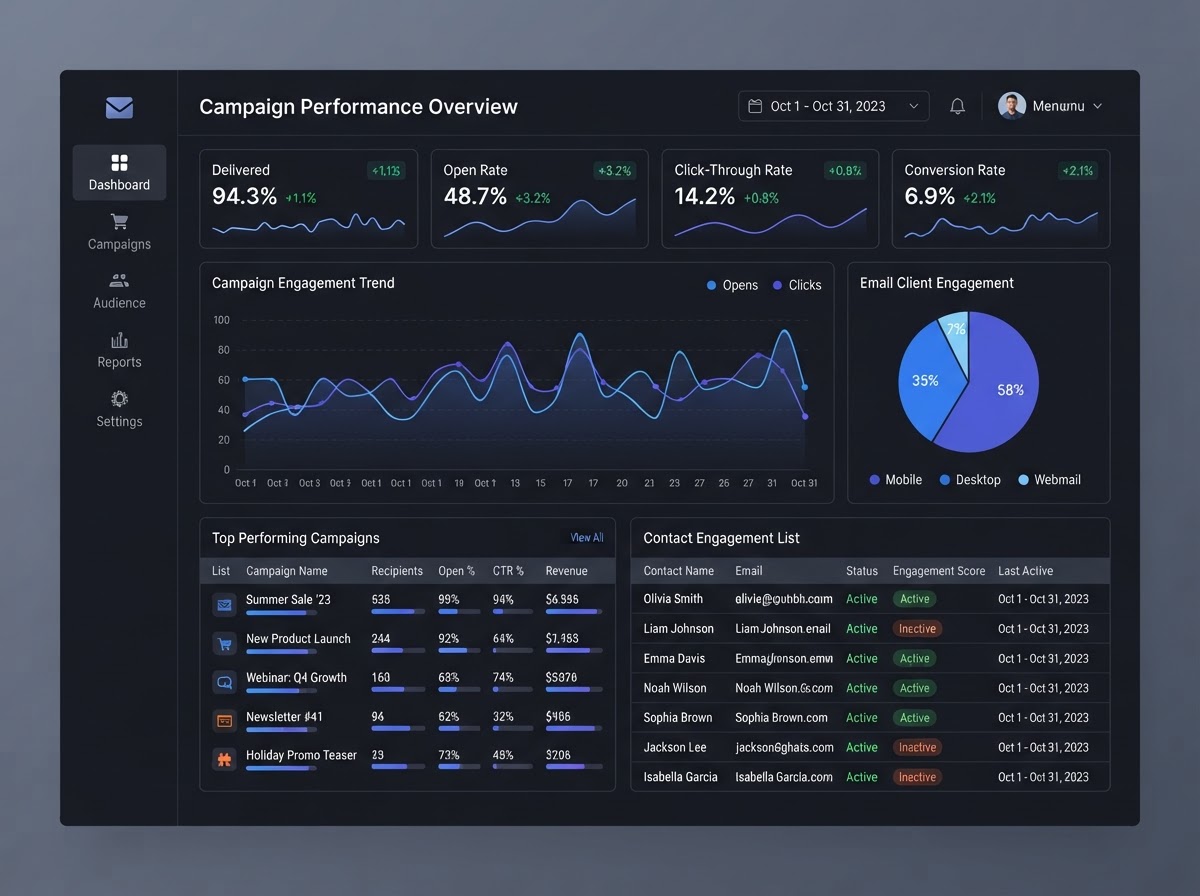
Integrated Analytics
Because the email system is native to the CRM, every campaign's performance is tracked in a unified dashboard. View delivery rates, opens, clicks, bounces, and failures — and instantly see exactly which contacts engaged.
 Targeting
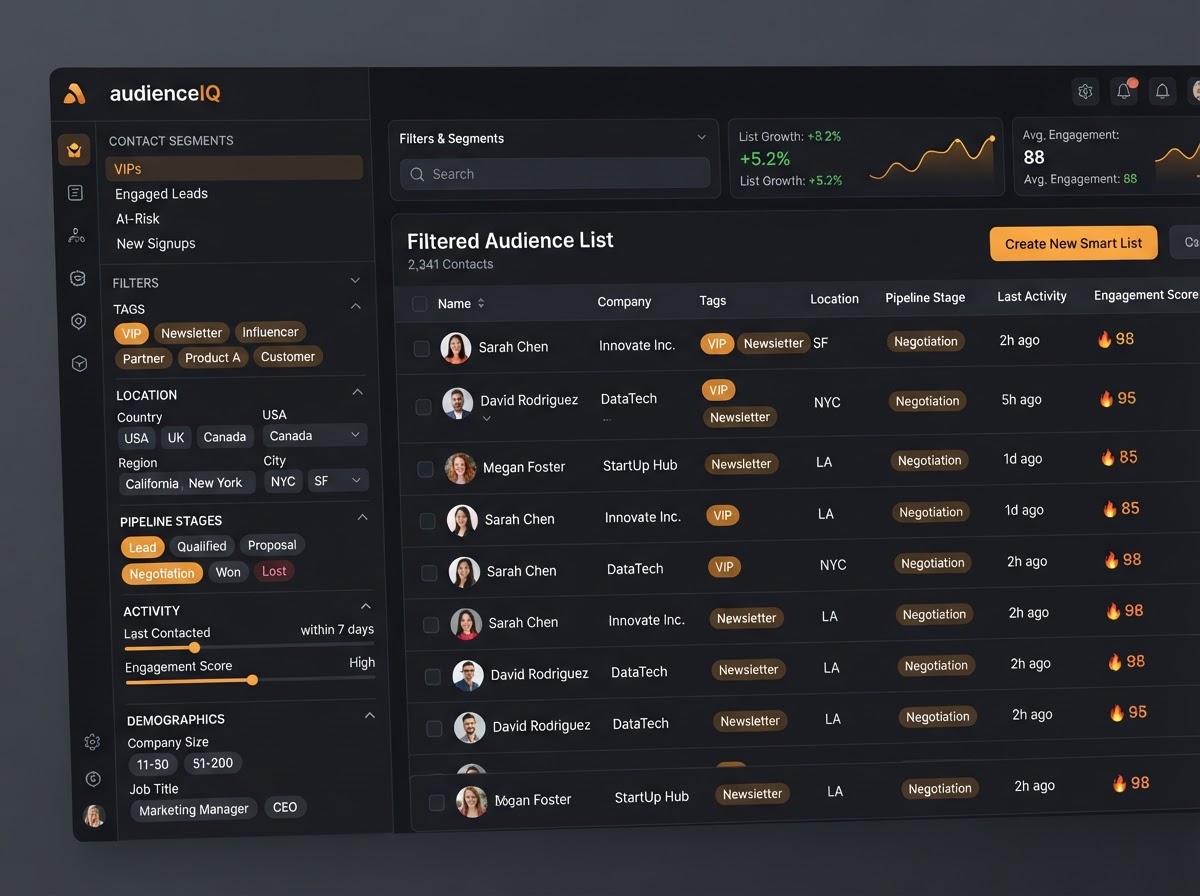
Smart List Targeting
Deploy campaigns to a specific Smart List or filtered group of contacts. Target customers in San Diego with the VIP tag, leads in a particular pipeline stage, or any dynamic segment — the audience updates itself automatically.
FROM TEMPLATE TO LIVE SEND
A template is the reusable design shell. The campaign is the live execution — personalized with CRM data, dripped in batches, validated before send, and tracked with unified analytics from start to finish.
Visual Block-Based Editor
Design Beautiful Emails Without Code
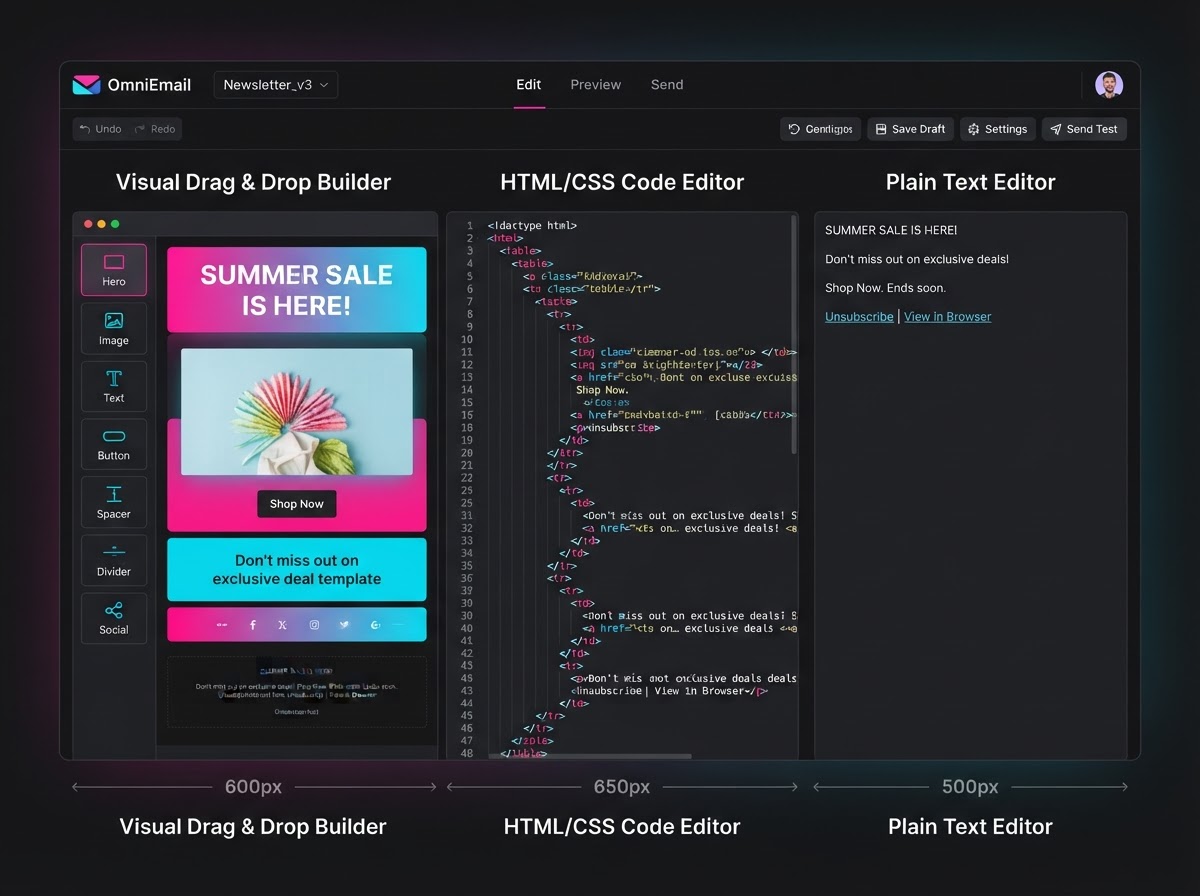
Campaigns are built using a visual, block-based editor. Stack text sections, images, social links, and CTA buttons with drag-and-drop ease — or switch to a Code Editor for custom HTML and a Plain Text editor for simple, conversational messages. The template is the reusable shell; the campaign is the live execution.
- Drag-and-drop blocks for text, images, social links, and CTAs
- Code Editor mode for custom HTML when you need full control
- Plain Text editor for simple, conversational-style messages
- Email Templates serve as reusable design shells for every campaign
Live CRM Personalization
Custom Values Pull Real Data Into Every Email
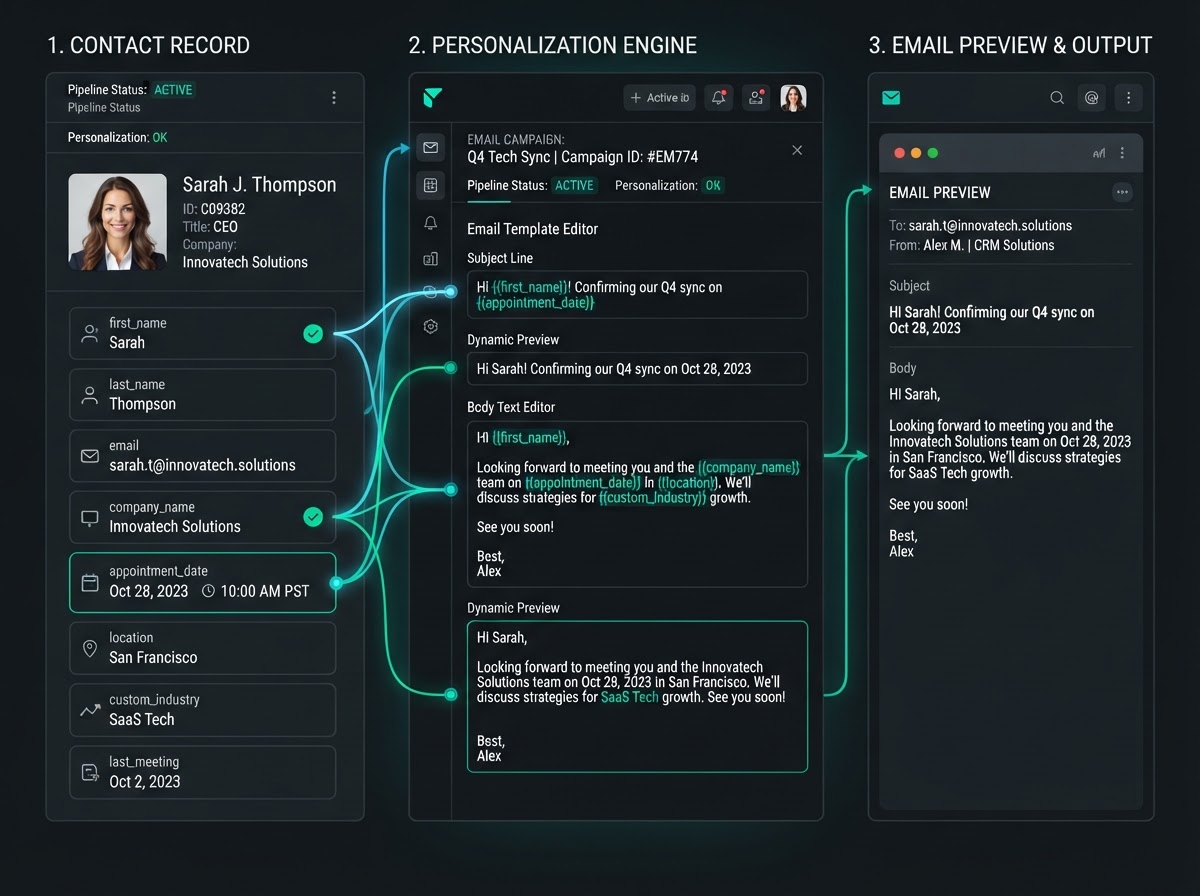
Campaigns utilize Custom Values to pull live CRM data directly into the email body or subject line. Using syntax like {{contact.first_name}} or {{appointment.start_date_time}}, a single bulk campaign automatically personalizes the details for every individual recipient — no manual mail-merge required.
- {{contact.first_name}}, {{contact.last_name}} in subject and body
- {{appointment.start_date_time}} for booking confirmations
- Any custom field or Custom Value flows in automatically
- One bulk send, every email uniquely personalized per recipient
Batch Scheduling & Drip Mode
Protect Deliverability On Large Lists
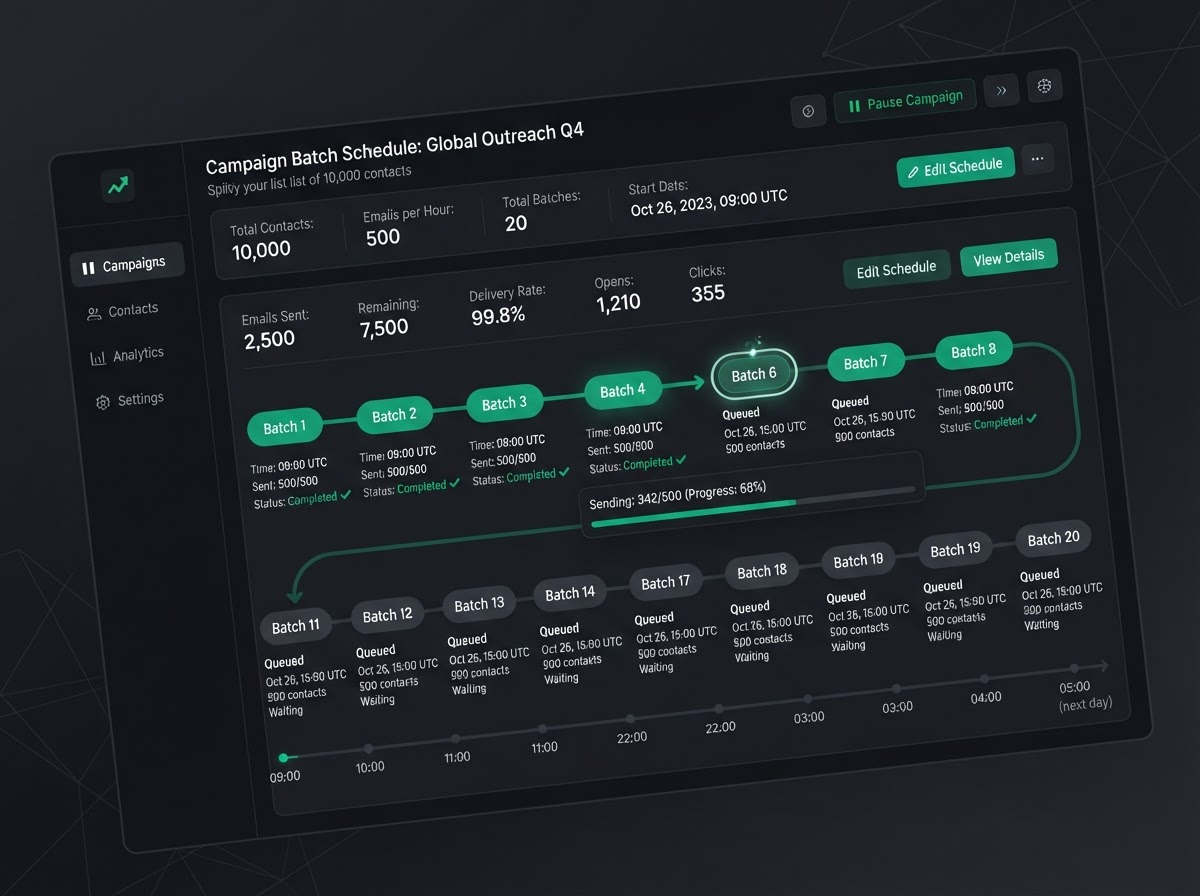
One of the most critical features for managing large databases. Instead of blasting 10,000 contacts at once — which can trigger spam filters or overwhelm a sales team with replies — Batch Scheduling lets you drip the campaign, sending a set quantity at customized intervals like 500 every hour.
- Drip large lists to protect sender reputation and avoid spam filters
- Set custom batch sizes and intervals (e.g. 500 emails every hour)
- Stagger replies so your sales team can handle them in real time
- Perfect for newsletters, reactivation campaigns, and product launches
EMAIL CAMPAIGNS IN THE WILD
Real-world scenarios where drag-and-drop design, dynamic personalization, batch scheduling, and integrated analytics keep every business sending high-deliverability campaigns — from newsletters to win-back drips to product launches.
Personalized Newsletters To 10,000 Contacts
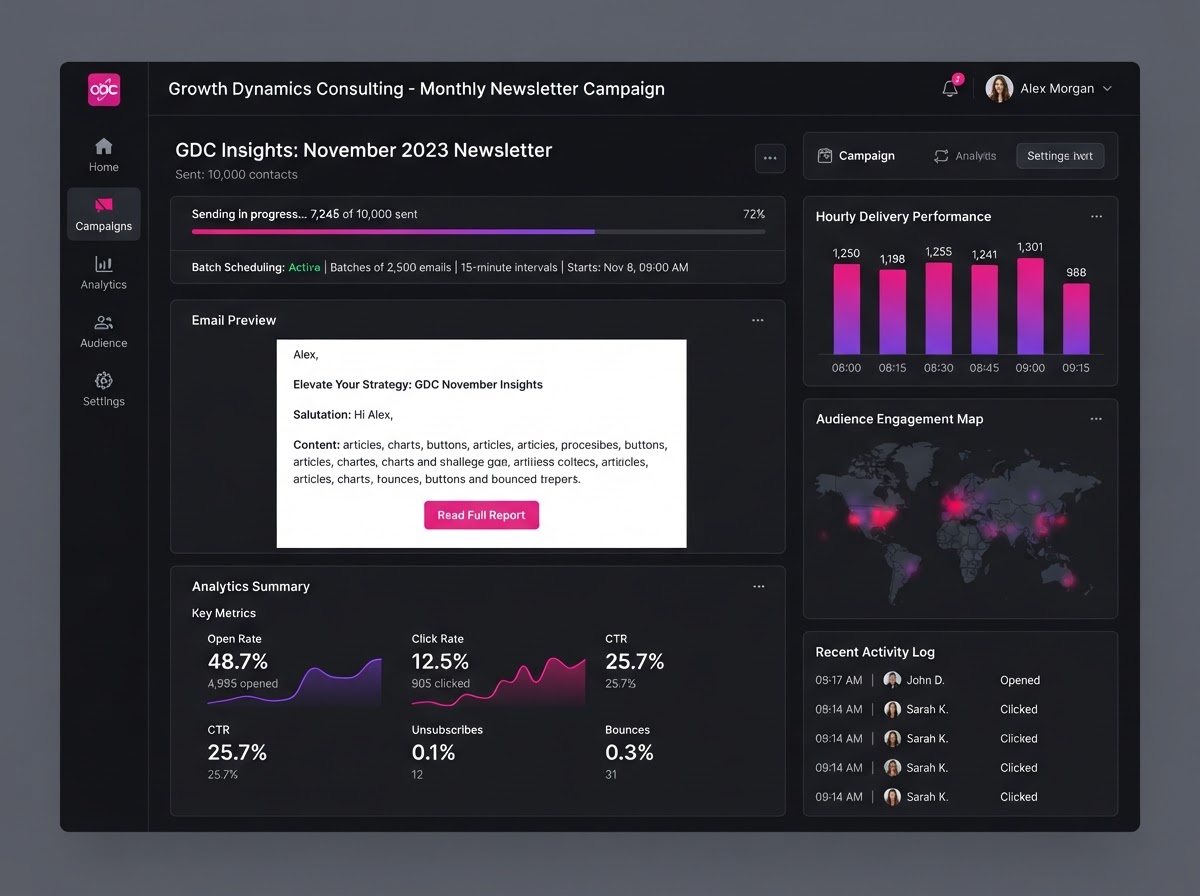
A consulting firm sends a monthly newsletter to 10,000 contacts using Batch Scheduling — 500 emails every hour to protect deliverability. Each email auto-personalizes with {{contact.first_name}} in the subject line, and integrated analytics show exactly who opened and clicked.
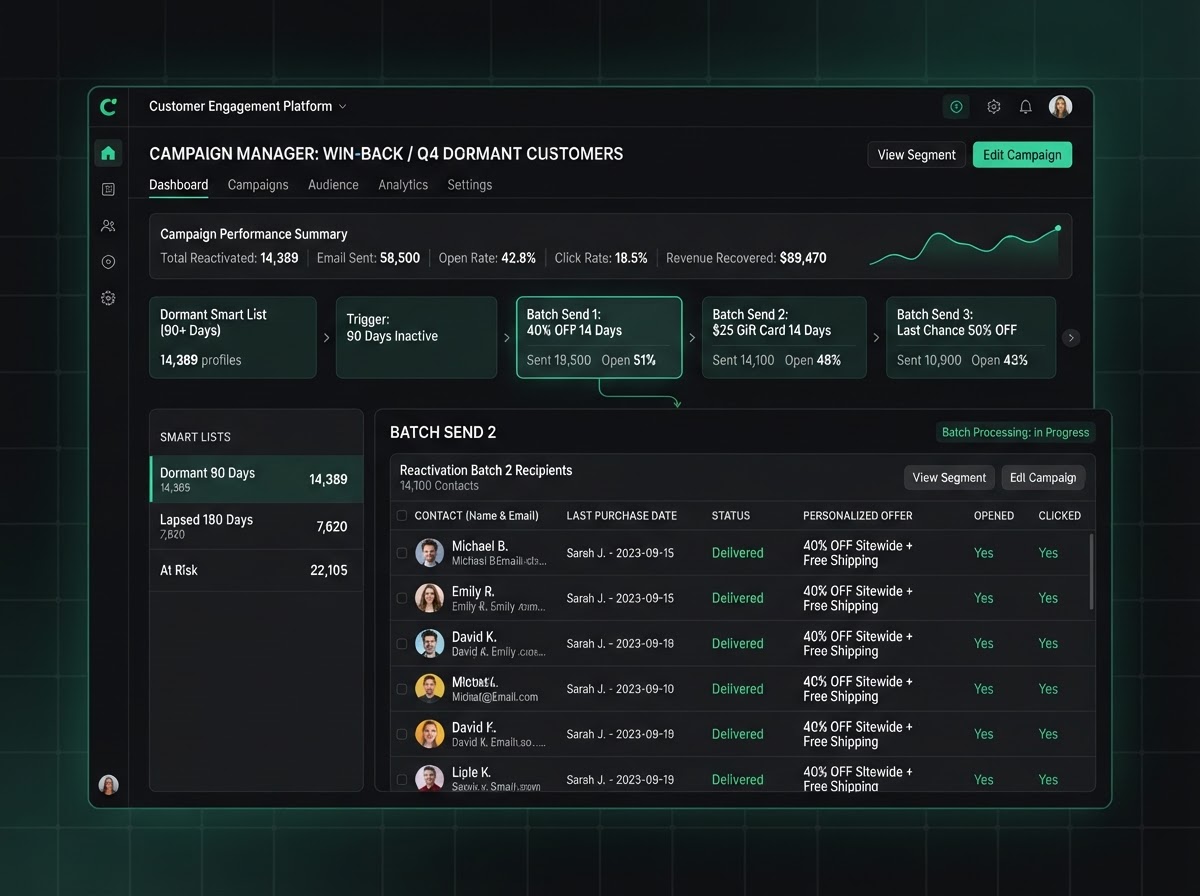
Win Back Dormant Customers With A Drip
A retail brand builds a Smart List of customers who haven't purchased in 90 days, then drips a win-back offer — 200 emails every 30 minutes. Dynamic personalization drops in each contact's last purchase date, and analytics track who re-engaged.
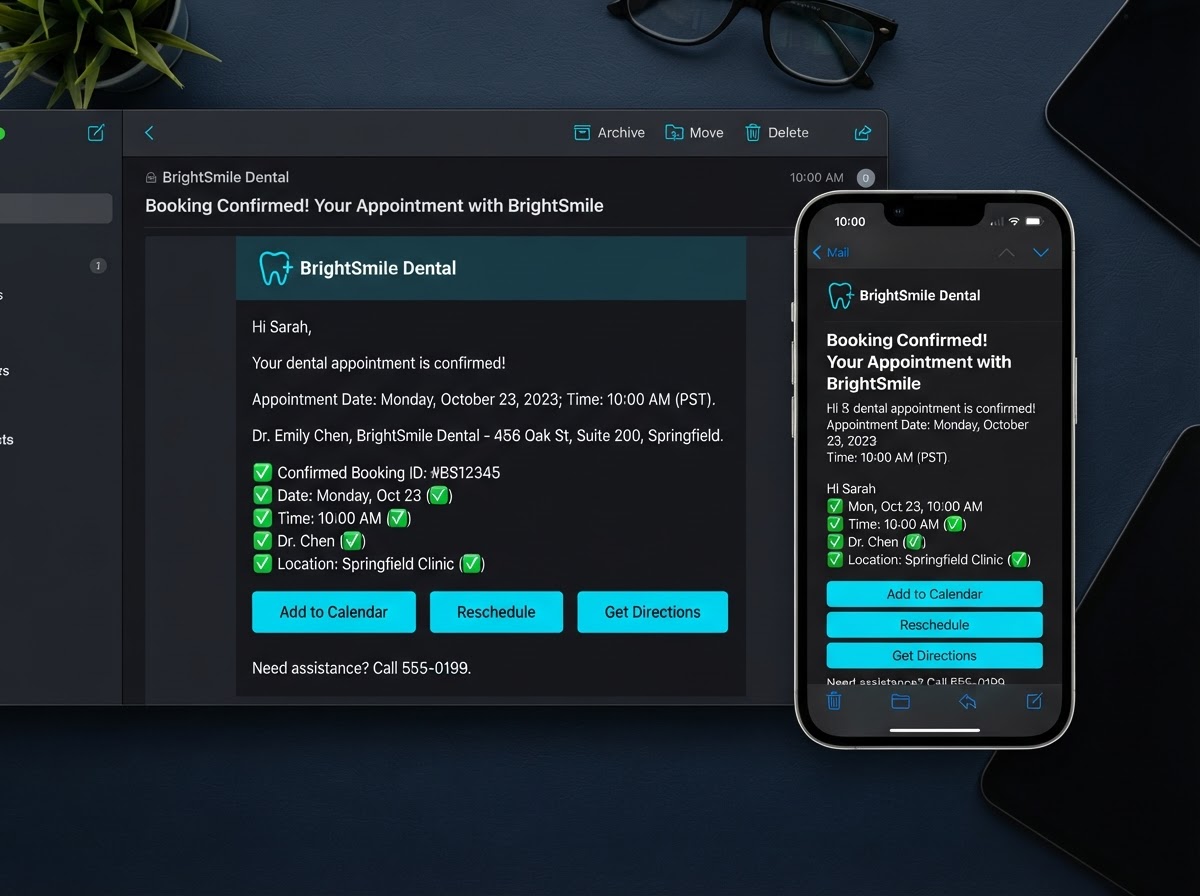
Automated Booking Confirmations
A dental office uses {{appointment.start_date_time}} to send personalized appointment confirmation emails. Pre-send validation ensures the formatting renders perfectly on mobile, and every open and click is tracked in the unified CRM dashboard.
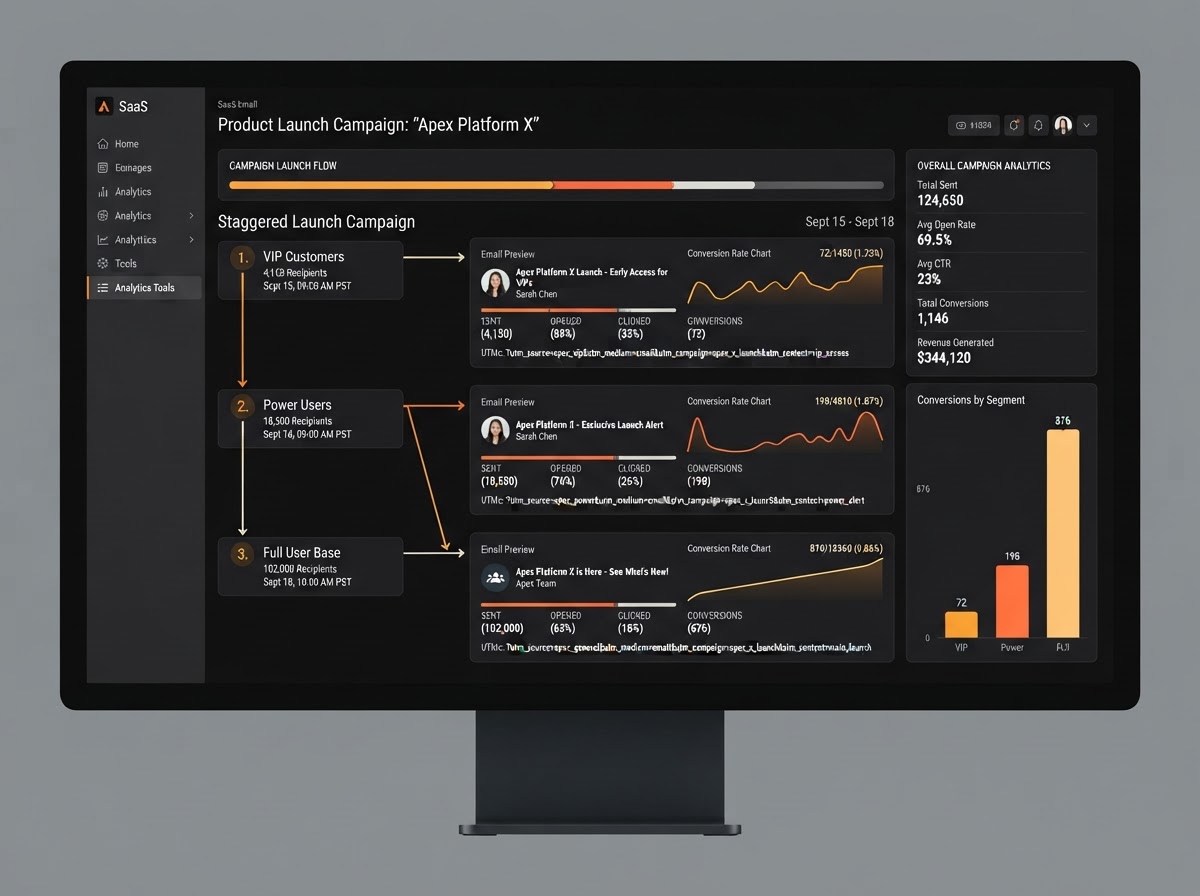
Staggered Launch Across Segments
A SaaS company launches a new feature in batches — VIP customers first, then power users, then the full list. Batch Scheduling staggers each wave, the Code Editor handles a custom HTML design, and UTM tracking in every link proves which segment converted best.
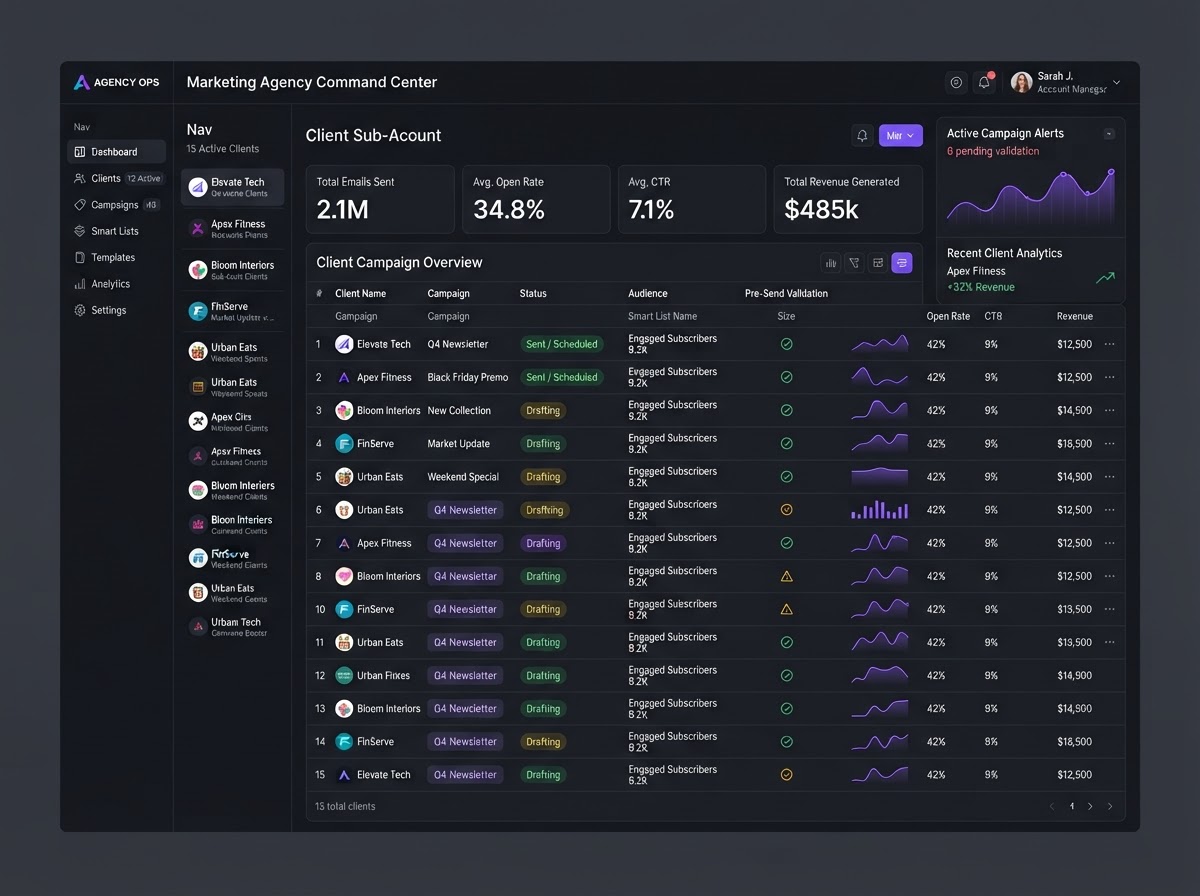
Client Campaigns From One Dashboard
A digital agency manages email campaigns for 15 client sub-accounts from a single CRM. Each client's Smart List targets their own audience, every campaign is pre-send validated, and per-client analytics keep deliverability and engagement reports cleanly separated.
Countdown Email Sequences
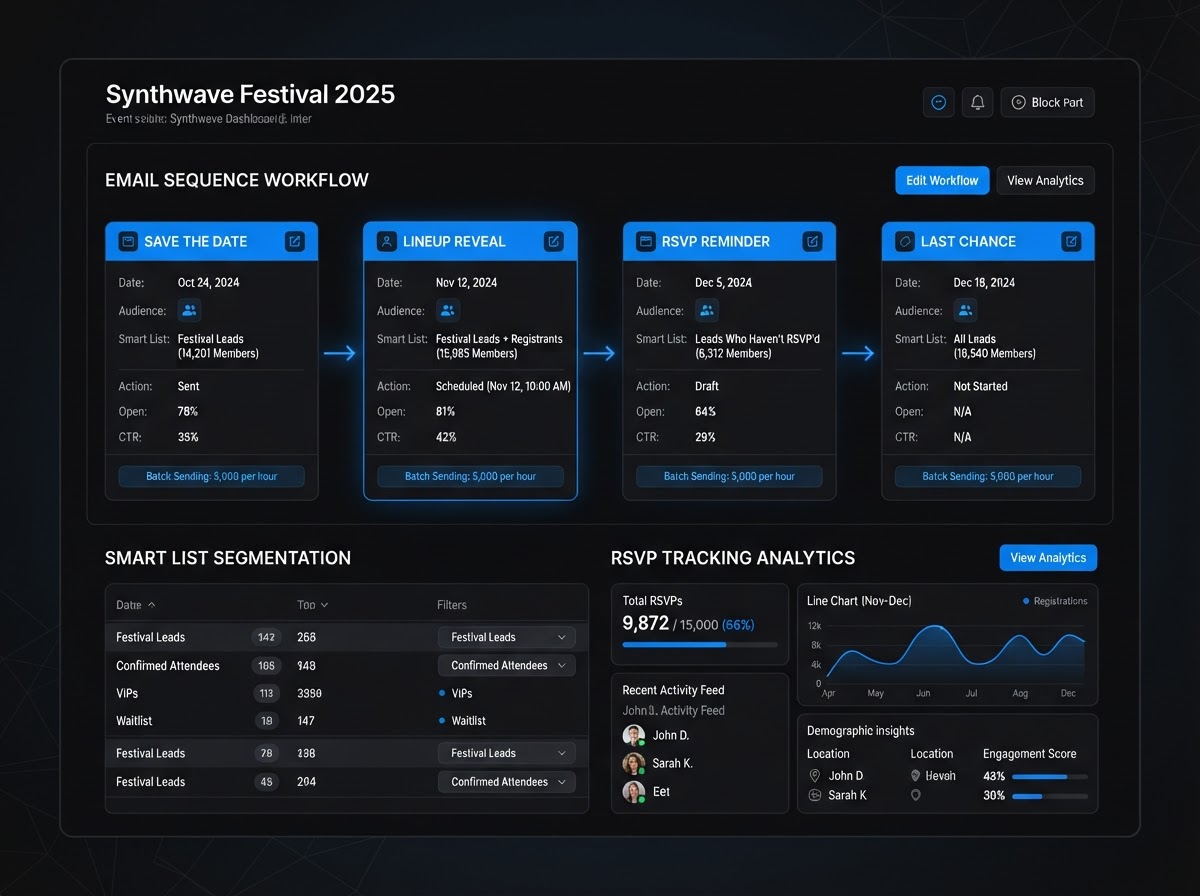
An event organizer builds a countdown sequence — save the date, lineup reveal, RSVP reminder, last chance — each sent to a dynamic Smart List that updates as people register. Batch Scheduling protects deliverability and analytics track RSVPs back to each email.
Replace all your email tools with one platform
Stop paying for Mailchimp, Constant Contact, ConvertKit, and a dozen separate email subscriptions. Westcoast Email Campaigns consolidates your entire email stack — at no extra cost.
Pick the software you're paying for today. We'll estimate your current monthly cost and show how Westcoast AI replaces it all — CRM, AI, and automation — with a plan sized for your team.
Select your current tools
0 selected · 302 platformsWestcoast AI
1 unified platform
CRM + AI + Automations included
Your Stack (est.)
$0/mo
0 tools
Est. Savings
$0/mo
$0/yr
Select the platforms you use today to see a feature-by-feature comparison with Westcoast AI.
MONTHLY PLANS
PRICING THAT FITS YOUR NEEDS AND BUDGET WITH ALL THE AUTOMATED AI INCLUDED
STARTER
- Basic
- 7-day free trial
- No setup fees
- 1 user
- AI & Automation
- AI Studio Web Builder
- Funnel Builder
- AI Voice Agent
- Text Message Conversation AI
- Creator Studio
- Mobile App Builder
- Basic AI Agents
- CRM
- Unlimited Contacts
- Opportunities & Pipeline Tracking
- Tasks
- Booking Calendars
- Marketing
- Social Media Planner & Automation
- Mass Email Campaigns
- Review & Reputation Management
- Social Media Ad Manager
- Affiliate Marketing Manager
GROWTH
- Basic
- 7-day free trial
- 20% off any advanced monthly AI services or lead generation
- No setup fees
- 3 users
- Snapshot Image For Your Industry Enabled
- AI & Automation
- AI Studio Web Builder
- Funnel Builder
- AI Voice Agent
- Text Message Conversation AI
- Creator Studio
- Mobile App Builder
- Auto Snapshot For Any Industry
- CRM
- Unlimited Contacts
- Opportunities & Pipeline Tracking
- Tasks
- Booking Calendars
- Unified Inbox (Email, SMS, Socials)
- Marketing
- Social Media Planner & Automation
- Mass Email Campaigns
- Review & Reputation Management
- Social Media Ad Manager
- Affiliate Marketing Manager
PREMIUM
- Basic
- 7-day free trial
- 30% off any advanced monthly AI services or lead generation
- No setup fees
- 10 users
- White-glove done-for-you custom setup
- API & Webhook Access
- AI & Automation
- AI Studio Web Builder
- Funnel Builder
- AI Voice Agent
- Text Message Conversation AI
- Creator Studio
- Mobile App Builder
- Auto Snapshot For Any Industry
- White-glove AI bot setup for voice and conversation done for you
- CRM
- Unlimited Contacts
- Opportunities & Pipeline Tracking
- Tasks
- Booking Calendars
- Unified Inbox (Email, SMS, Socials)
- Marketing
- Social Media Planner & Automation
- Mass Email Campaigns
- Review & Reputation Management
- Social Media Ad Manager
- Affiliate Marketing Manager
ENTERPRISE
- Basic
- No setup fees
- 40% off AI Leads and services
- 11 or more users
- White-glove done-for-you custom setup
- API & Webhook Access
- All Enterprise and custom solutions
- AI & Automation
- AI Studio Web Builder
- Funnel Builder
- AI Voice Agent
- Text Message Conversation AI
- Creator Studio
- Mobile App Builder
- Auto Snapshot For Any Industry
- White-glove AI bot setup for voice and conversation done for you
- CRM
- Unlimited Contacts
- Opportunities & Pipeline Tracking
- Tasks
- Booking Calendars
- Unified Inbox (Email, SMS, Socials)
- Marketing
- Social Media Planner & Automation
- Mass Email Campaigns
- Review & Reputation Management
- Social Media Ad Manager
- Affiliate Marketing Manager
EMAIL CAMPAIGN QUESTIONS
An Email Template is a reusable design shell or layout. An Email Campaign is the live execution of that template for a specific marketing push or newsletter — sent to a specific audience like a Smart List or filtered group of contacts. The template is the design; the campaign is the send.
Campaigns use Custom Values to pull live CRM data into the email body or subject line. Syntax like {{contact.first_name}} or {{appointment.start_date_time}} automatically personalizes every recipient's email — so a single bulk send produces a uniquely personalized message for each contact without manual mail-merging.
Batch Scheduling (Drip Mode) lets you send a set quantity of emails at customized intervals — like 500 every hour — instead of blasting an entire list at once. This protects deliverability by avoiding spam filters, and it staggers replies so your sales team isn't overwhelmed by a sudden flood of responses.
Yes. Pre-send validation lets you preview how the campaign renders across desktop, tablet, and mobile displays. You can also send a test email to your own inbox to verify that formatting, hyperlinks, and UTM tracking parameters are all working correctly before the campaign goes live.
Because the email system is native to the CRM, every campaign's performance is tracked in a unified dashboard. You can view exact metrics on delivery rates, opens, clicks, bounces, and failures — and instantly see exactly which contacts engaged with the email.
Yes. You can deploy a campaign to a Smart List or any filtered group of contacts — for example, all customers in San Diego with the VIP tag, or all leads in a particular pipeline stage. The Smart List updates dynamically, so your audience is always current.
See your business built in minutes.
Book a live walkthrough of the Westcoast AI Studio. Tell us what you sell and watch us generate a complete, niche-matched website on the spot — copy, imagery, layout, and CRM integration included.
Book your demo
Tell us about your project — we'll build it live.